
 View on Asset Store (opens in new tab)
Package details
- Latest version
- 1.0b
- Last updated
- First released
- Unity version
- 2018.4.18 or later
- Package size
- 11.5 MB
- Files
- 49
- Favorites
- 160
- Views in the past week
- 28
Price tracking
- Last checked
- Tracked since
- Lowest recorded
- $10.00 on
Keywords
First Person View 3
Price $20.00
Buy on Asset Store (opens in new tab)
Affiliate link · Purchases support this site
Price history
Last 6 months
USDAsset preview
1 / 8

First Person View 3 screenshot 1


About this asset
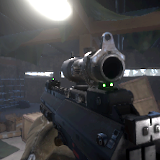
First Person View 3 offers a solution for first person render in Unity, where first person objects won’t clip through the environment, have a separate field of view and receive shadows from the environment.
FPV3 now supports the Default Renderer for Unity versions 2018.4 and up, and also supports HDRP and URP for Unity versions 2019.3 and up.
New in First Person View 3!
- Support for HDRP and URP for Unity 2019.3+ using ShaderGraph,
- Much simpler and easier setup for the Default Renderer,
- Ability to easily fade in/out of First Person View, useful when interacting with the environment,
- Finer control over changing shadow casting mode in and out of FPV.
HDRP/URP Advantages:
- Super easy setup using ShaderGraph
- Doesn't require any code/GCInc changes
- Doesn't require re-setup for newer Unity versions
- Less limitations on Post Processing effects
-- Notes --
- Please note that this is not a first person controller.
- Content from screenshots and videos are from my game, No Heroes, and are not included with First Person View 3.
Default Renderer Limitations:
- Partially supports temporal effects. In FPV3, Motion Vectors are essentially "disabled" but still active. TAA for example will still partially work, but temporal motion blur will not.
- Light and Shadows calculations are stretched for first person objects.
- Not a limitation, but when updating to a newer Unity version, you'll need to setup FPV again for that version of Unity. All steps are provided in the manual. HDRP/URP don't require this re-setup for newer versions.
HDRP/URP Limitations:
- Light and Shadows calculations are stretched for first person objects.
- Due to an Unity issue, Skinned Mesh Motion Vectors don't play well with vertex scaling, so FPV3 needs to disable the Motion Vectors for skinned meshes. Most temporal effects will still work, with the exception of temporal motion blur.
----------
The manual includes all the necessary steps to setup FPV for all renderers and future Unity versions.
Every script is well documented to make it easier to learn and understand how these solutions were made.
For more information and feedback, visit the thread on the Unity forums: First Person View 3 Thread
FPV3 now supports the Default Renderer for Unity versions 2018.4 and up, and also supports HDRP and URP for Unity versions 2019.3 and up.
New in First Person View 3!
- Support for HDRP and URP for Unity 2019.3+ using ShaderGraph,
- Much simpler and easier setup for the Default Renderer,
- Ability to easily fade in/out of First Person View, useful when interacting with the environment,
- Finer control over changing shadow casting mode in and out of FPV.
HDRP/URP Advantages:
- Super easy setup using ShaderGraph
- Doesn't require any code/GCInc changes
- Doesn't require re-setup for newer Unity versions
- Less limitations on Post Processing effects
-- Notes --
- Please note that this is not a first person controller.
- Content from screenshots and videos are from my game, No Heroes, and are not included with First Person View 3.
Default Renderer Limitations:
- Partially supports temporal effects. In FPV3, Motion Vectors are essentially "disabled" but still active. TAA for example will still partially work, but temporal motion blur will not.
- Light and Shadows calculations are stretched for first person objects.
- Not a limitation, but when updating to a newer Unity version, you'll need to setup FPV again for that version of Unity. All steps are provided in the manual. HDRP/URP don't require this re-setup for newer versions.
HDRP/URP Limitations:
- Light and Shadows calculations are stretched for first person objects.
- Due to an Unity issue, Skinned Mesh Motion Vectors don't play well with vertex scaling, so FPV3 needs to disable the Motion Vectors for skinned meshes. Most temporal effects will still work, with the exception of temporal motion blur.
----------
The manual includes all the necessary steps to setup FPV for all renderers and future Unity versions.
Every script is well documented to make it easier to learn and understand how these solutions were made.
For more information and feedback, visit the thread on the Unity forums: First Person View 3 Thread
From the publisher's Asset Store listing.