
 View on Asset Store (opens in new tab)
Package details
- Latest version
- 1.4.1
- Last updated
- First released
- Unity version
- 2017.4.37 or later
- Package size
- 37 KB
- Files
- 20
- Favorites
- 117
- Views in the past week
- 7
Price tracking
- Last checked
- Tracked since
- Lowest recorded
- Free on
Event Visualizer
Price Free
Get it free on Asset Store (opens in new tab)
Affiliate link · Purchases support this site
Price history
Last 6 months
USDAsset preview
1 / 3

Event Visualizer screenshot 1


About this asset
Have you ever come across a project that abuses linking UnityEvents in the inspector and now you can not find who is calling what?
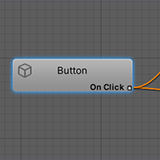
Event Visualizer is a visual tool that allows you to see all the UnityEvents in a scene at a glance and when they are being triggered. It creates a graph in which nodes are gameobjects, outputs are any type of UnityEvent (custom ones supported as well!) and inputs are methods.
Install the package and simply select Windows/Events Graph Editor to open the graph.
Select any root gameobject(s) and click on Rebuild on selected hierarchy to generate a graph of all events being fired by the selected hierarchy, or Rebuild JUST selected to generate a graph of all events being fired by exactly the selected gameobjects. You can deselect everything and click any of the buttons to generate the graph of the entire scene, but beware for massive graphs!
Click on any node to highlight that gameobjects in your hiearchy. Alternatively right-click on any element in the hierarchy and select UnityEventGraph/FindThis to highlight it in the graph. Or UnityEventGraph/Graph Just This and UnityEventGraph/Graph This Hierarchy in order to create a graph starting just in this gameobject or any of its children respectively.
There you can also activate the scene-view visualizer!
Click on any node to highlight that gameobjects in your hierarchy. Alternatively right-click on any element in the hierarchy and select UnityEventGraph/FindThis to highlight it in the graph.
Find more on GitHub
Event Visualizer is a visual tool that allows you to see all the UnityEvents in a scene at a glance and when they are being triggered. It creates a graph in which nodes are gameobjects, outputs are any type of UnityEvent (custom ones supported as well!) and inputs are methods.
Install the package and simply select Windows/Events Graph Editor to open the graph.
Select any root gameobject(s) and click on Rebuild on selected hierarchy to generate a graph of all events being fired by the selected hierarchy, or Rebuild JUST selected to generate a graph of all events being fired by exactly the selected gameobjects. You can deselect everything and click any of the buttons to generate the graph of the entire scene, but beware for massive graphs!
Click on any node to highlight that gameobjects in your hiearchy. Alternatively right-click on any element in the hierarchy and select UnityEventGraph/FindThis to highlight it in the graph. Or UnityEventGraph/Graph Just This and UnityEventGraph/Graph This Hierarchy in order to create a graph starting just in this gameobject or any of its children respectively.
There you can also activate the scene-view visualizer!
Click on any node to highlight that gameobjects in your hierarchy. Alternatively right-click on any element in the hierarchy and select UnityEventGraph/FindThis to highlight it in the graph.
Find more on GitHub
From the publisher's Asset Store listing.