
 View on Asset Store (opens in new tab)
Package details
- Latest version
- 1.5.13
- Last updated
- First released
- Unity version
- 2022.3.8 or later
- Package size
- 1.2 MB
- Files
- 61
- Favorites
- 86
- Views in the past week
- 31
Price tracking
- Last checked
- Tracked since
- Lowest recorded
- Free on
Keywords

Wise SVN
Simple but powerful SVN Integration for Unity 3D utilizing TortoiseSVN (for Windows), SnailSVN (for MacOS) or RabbitVCS (for Linux) user interface. A must have plugin if you use SVN in your project.
Affiliate link · Purchases support this site
Price history
Last 6 months
USDAsset preview
1 / 9

Wise SVN screenshot 1


About this asset
>>> GitHub | Unity Forum | Reddit | OpenUPM<<<
======== Prerequisites ========
- You need to have SVN command line interface (CLI) installed.
- TortoiseSVN (for Windows) comes with CLI, but needs to be added on installing
- For MacOS or Linux, select one of the options here: https://subversion.apache.org/packages.html
- Have TortoiseSVN (for Windows), SnailSVN (for MacOS) or RabbitVCS (for Linux) installed.
- Test if SVN CLI is accessible from the command line / terminal by typing "svn --version"
======== Features ========
- Hooks up to Unity move and delete file operations and executes respective svn commands to stay in sync.
- Handles meta files as well.
- Moving assets to unversioned folder will ask the user to add that folder to SVN as well.
- Moving folders / files that have conflicts will be rejected.
- Will work with other custom tools as long as they move / rename assets using Unity API.
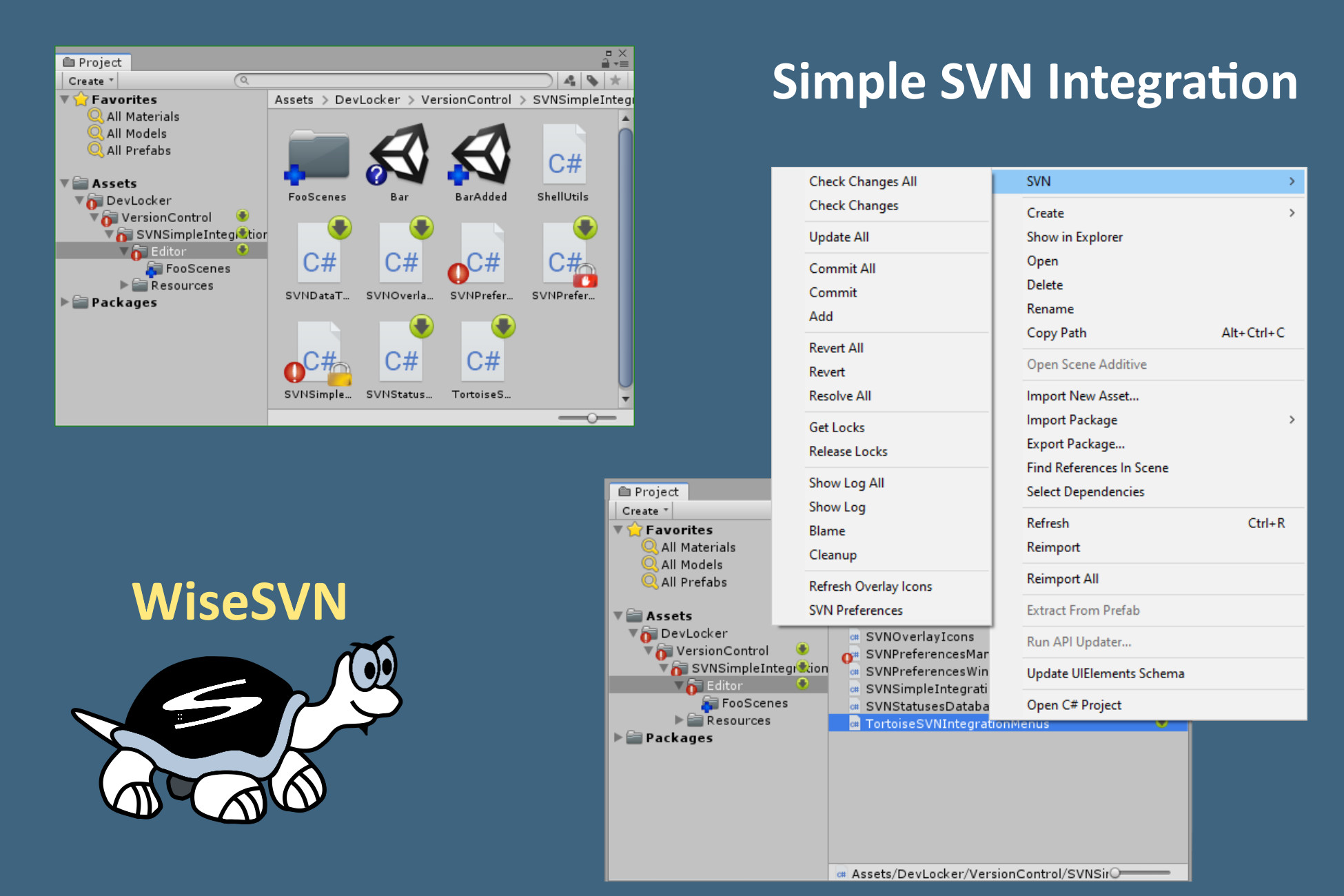
- Provides assets context menu for manual SVN operations like commit, update, revert etc.
- Show overlay svn status icons
- Show server changes that you need to update.
- Show locked files by you and your colleges.
- Show "svn:ignore" and "svn:global-ignores" icons.
- Displays warning in the SceneView when the current scene or edited prefab is out of date or locked.
- Lock prompt on modifying assets by path and type (perforce checkout like)
- If asset or its meta becomes modified a pop-up window will prompt the user to lock or ignore it.
- The window shows if modified assets are locked by others or out of date, which prevents locking them.
- If left unlocked, the window won't prompt again for those assets. Will prompt on editor restart.
- Branch Selector
- Scans for Unity projects in your SVN repository's branches.
- Lists all available branches.
- Opens Repo-Browser showing target asset in selected branch.
- Opens "Show Log" on target asset in selected branch.
- Switches to selected branch.
- Scans for conflicts (shows which branches have changes to the target asset).
- Minimal performance impact
- Survives assembly reloads
- You don't have to leave Unity to do SVN chores.
- Works on Windows, MacOS and Linux
- Simple API to integrate with your tools.
- Use WiseSVNIntegration.RequestSilence() and WiseSVNIntegration.ClearSilence() to temporarily suppress any WiseSVN pop-ups.
- Use WiseSVNIntegration.RequestTemporaryDisable() and WiseSVNIntegration.ClearTemporaryDisable() to temporarily disable any WiseSVN handling of file operations and updates.
- Use SVNContextMenusManager methods to invoke TortoiseSVN / SnailSVN / RabbitVCS commands.
- Use WiseSVNIntegration.*Async() methods to run direct SVN commands without any GUI (check `ExampleStatusWindow`).
======== Usage ========
Do your file operations in Unity and the plugin will handle the rest.
User SVN operations are available in the menu (or right-click on any asset): "Assets/SVN/..."
WARNING: Never focus Unity while the project is updating in the background. Newly added asset guids may get corrupted in which case the Library folder needs to be deleted.
Preferred workflow is to always work inside Unity - use the "Assets/SVN/..." menus. "Assets/SVN/Update All" will block Unity while updating, to avoid Unity processing assets at the same time.
This is an issue with how Unity works, not the plugin iteself. Unity says its by "design".
From the publisher's Asset Store listing.