
 View on Asset Store (opens in new tab)
Package details
- Latest version
- 1.5.0
- Last updated
- First released
- Unity version
- 2017.4.34 or later
- Package size
- 9.8 MB
- Files
- 169
- Favorites
- 238
- Views in the past week
- 12
Price tracking
- Last checked
- Tracked since
- Lowest recorded
- $20.00 on
Q-Costume
Price $20.00
Buy on Asset Store (opens in new tab)
Affiliate link · Purchases support this site
Price history
Last 6 months
USDAsset preview
1 / 8

Q-Costume screenshot 1


About this asset
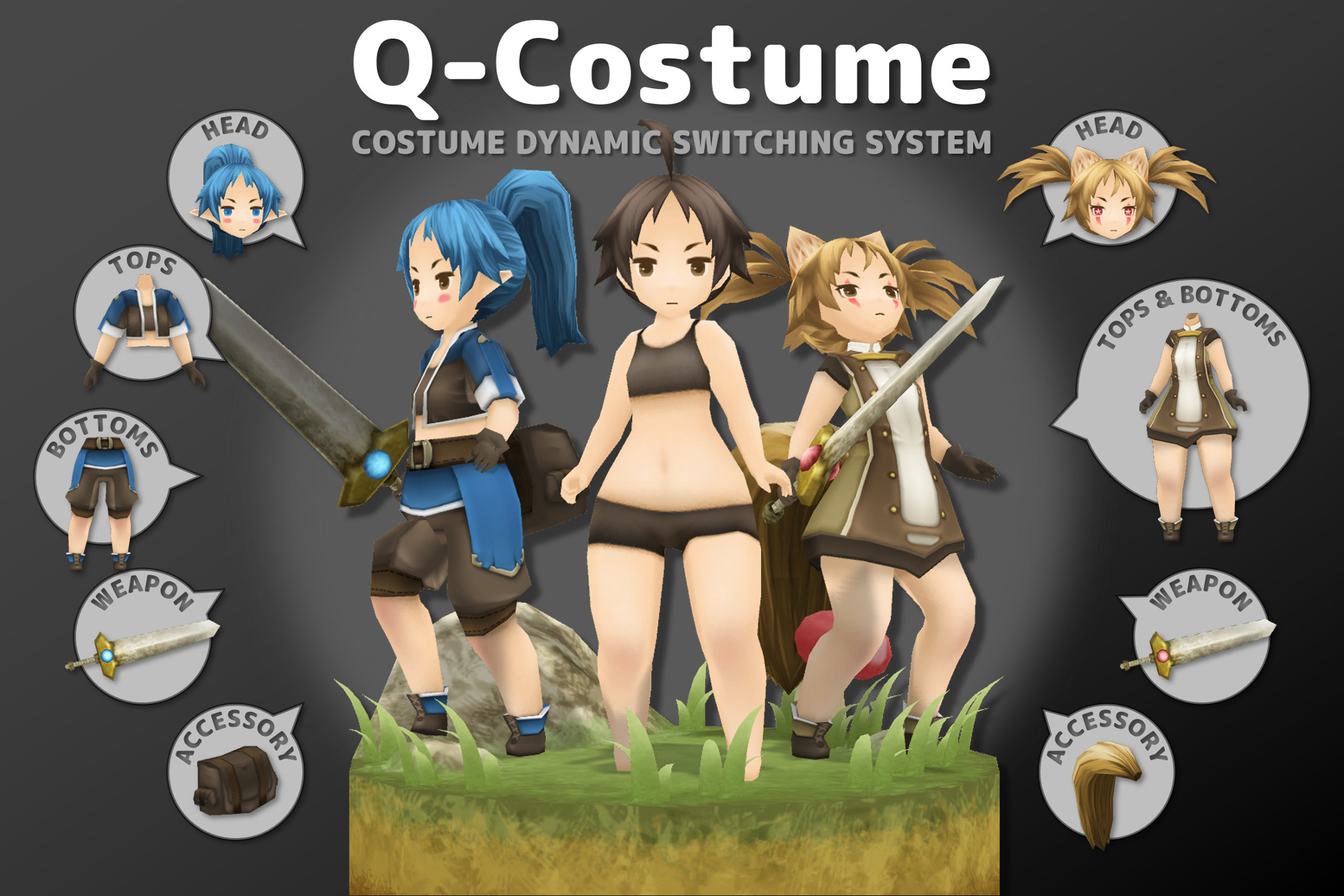
With Q-Costume, you can quickly and easily combine costume items.
Simply set up your character's hair, face, clothes, accessories, and other items (fbx or prefab) in the Inspector and they will be combined dynamically.
Very useful for implementing a "character customization system" in the game.
Features
- Attach any item (fbx or prefab) to the skeleton.
- Item bones are transplanted into skeletons.
- Combine items as skin meshes.
- Combine items as meshes.
- Switch dynamically at runtime.
- Switch without using a script.
Three components are used depending on the purpose.
Costume Builder
- Attach any item (fbx or prefab) to the skeleton.
- Item bones are transplanted into skeletons.
Skinned Mesh Builder
- Combine any item (fbx or prefab) as a skin mesh.
- Vertex, UV, UV2, UV3, UV4, normal, vertex color, blend shape, bone reference list, bone weight and bind pose are combined.
- Sub-mesh is grouped with the same material.
Mesh Builder
- Combine any item (fbx or prefab) as a mesh.
- Vertex, UV, UV2, UV3, UV4, normal and vertex color are combined.
- Sub-mesh is grouped with the same material.
Extra components.
Extra / Swing Bone
- Swing the bone.
- You can limit the XYZ axes and scale or blend shape when limiting.
* Swing is not physics.
* There is no collision detection in the current version.
A character customization demo is included in the package.
A model of each costume used in the demo is also included.
DEMO
- Use the Costume Builder to switch between hair, clothes, bags and tails.
- Use the Skinned Mesh Builder to switch between eyelashes, eyeballs, cheeks and ears.
- Use the Mesh Builder to switch between blades and gems.
Manuals and References
https://qcostume.arumonista.com/
Simply set up your character's hair, face, clothes, accessories, and other items (fbx or prefab) in the Inspector and they will be combined dynamically.
Very useful for implementing a "character customization system" in the game.
Features
- Attach any item (fbx or prefab) to the skeleton.
- Item bones are transplanted into skeletons.
- Combine items as skin meshes.
- Combine items as meshes.
- Switch dynamically at runtime.
- Switch without using a script.
Three components are used depending on the purpose.
Costume Builder
- Attach any item (fbx or prefab) to the skeleton.
- Item bones are transplanted into skeletons.
Skinned Mesh Builder
- Combine any item (fbx or prefab) as a skin mesh.
- Vertex, UV, UV2, UV3, UV4, normal, vertex color, blend shape, bone reference list, bone weight and bind pose are combined.
- Sub-mesh is grouped with the same material.
Mesh Builder
- Combine any item (fbx or prefab) as a mesh.
- Vertex, UV, UV2, UV3, UV4, normal and vertex color are combined.
- Sub-mesh is grouped with the same material.
Extra components.
Extra / Swing Bone
- Swing the bone.
- You can limit the XYZ axes and scale or blend shape when limiting.
* Swing is not physics.
* There is no collision detection in the current version.
A character customization demo is included in the package.
A model of each costume used in the demo is also included.
DEMO
- Use the Costume Builder to switch between hair, clothes, bags and tails.
- Use the Skinned Mesh Builder to switch between eyelashes, eyeballs, cheeks and ears.
- Use the Mesh Builder to switch between blades and gems.
Manuals and References
https://qcostume.arumonista.com/
From the publisher's Asset Store listing.