
 View on Asset Store (opens in new tab)
Package details
- Latest version
- 1.0
- Last updated
- First released
- Unity version
- 2021.3.45 or later
- Package size
- 35.8 MB
- Files
- 81
- Favorites
- 6
- Views in the past week
- 13
Price tracking
- Last checked
- Tracked since
- Lowest recorded
- $9.99 on
Keywords

3D Interaction System
- Price drop
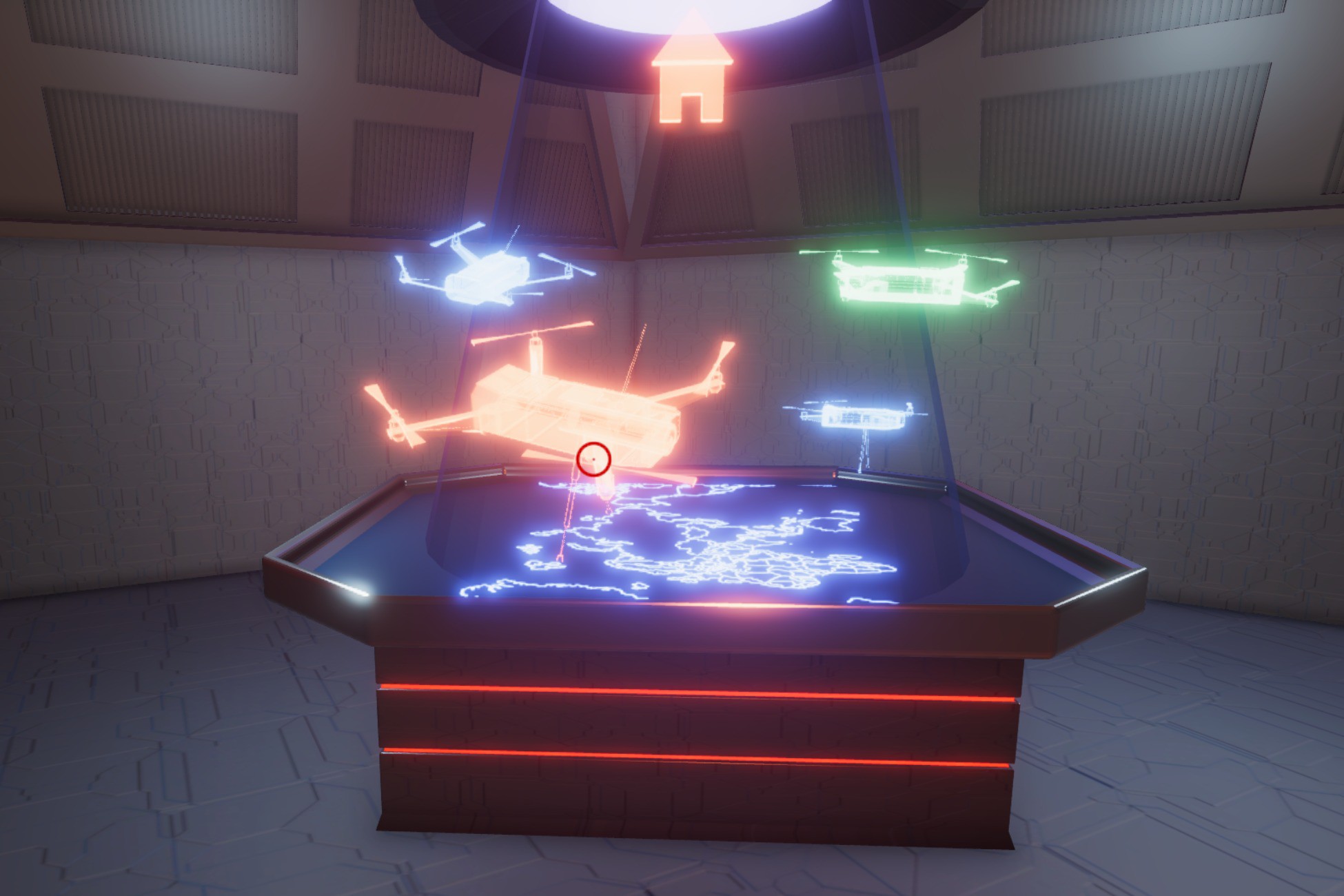
The 3D interaction system is a system that allows you to interact with 3D objects like you would a user interface. You can use a cursor to hover over 3D objects and get a nice hover response.
Lowest recorded price
Get 50% off on Asset Store (opens in new tab)Affiliate link · Purchases support this site
Price history
Last 6 months
USDAsset preview
1 / 15

3D Interaction System screenshot 1



About this asset
The 3D interaction system is a system that allows you to interact with 3D objects like you would a user interface. You can use a cursor to hover over 3D objects and get a nice hover interaction response. You can click the 3D object and have it perform certain actions. You can switch to different 3D views with a nice transition animation just like you switch pages in a 2D user interface. You can even use this idea for your main menu (as a form of 3D interactive main menu).
Features
- High quality, modular and flexible scripts that allow you to customize the system to your own taste.
- Unique style of interaction with objects which makes your project stand out.
- This kind of project can be used for multiple game genres.
- This 3D interactive concept can be applied to main menu or game systems like inventory
- It comes with a nice looking demo scene with an environment, multiple props and an interactive system.
- You get a player controller that comes with this project, which allows you to test this system.
Please note that the player controller and player input class are basic implementations of a first person controller which only allow you to move around the environment and test this system. Do not expect player crouch, player run or "pick up items". The demo player controller uses legacy input system. However, that should not stop integration with the new input system. The player controller is just there to help you test the system.
From the publisher's Asset Store listing.
Technical details
- Works with URP
- Tested on windows and mac.
- The demo player controller uses legacy input system. However, that should not stop integration with the new input system. The player controller is just there to help you test the system.
Compatibility
| Unity version | Built-in | URP | HDRP |
|---|---|---|---|
| 2021.3.45f1 | Not listed | Compatible | Not listed |
As listed on the Asset Store.