
 View on Asset Store (opens in new tab)
Package details
- Latest version
- 2.0.2
- Last updated
- First released
- Unity version
- 2021.3.35 or later
- Package size
- 257 KB
- Files
- 17
- Favorites
- 31
- Views in the past week
- 13
Price tracking
- Last checked
- Tracked since
- Lowest recorded
- $6.99 on
Keywords

Free Form Selection Brush for Unity
Overthrow the rectangle selection tyranny NOW!
Affiliate link · Purchases support this site
Price history
Last 6 months
USDAsset preview
1 / 2

Free Form Selection Brush for Unity screenshot 1

About this asset
Links: Documentation
🎁 This asset is part of the Productivity Tools Bundle. 🎁
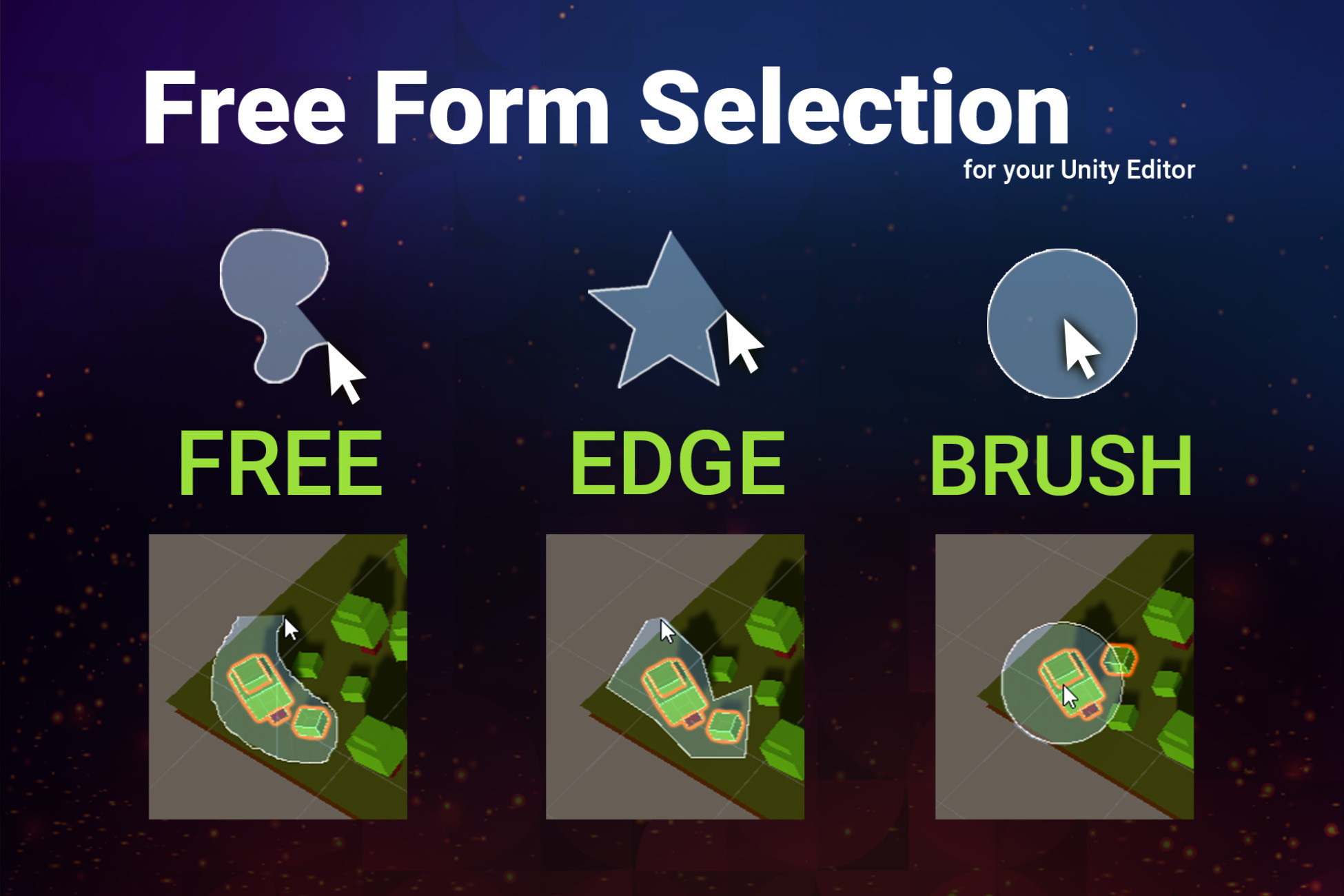
✔️ Select freely: Enhances the selection functionality in the SceneView. It allows you to do a free form selection instead of the default rectangle (works for 3d objects and ui).
✔️ Draw your selection with a brush
Use the mouse wheel to change the brush size. Hint: hold Ctrl or Shift to add/remove from your selection.
✔️ Works right in the SceneView
Just press 'S'. Keys can be changed in the settings.
✔️ Supports Unity 2021.3, 2022, Unity 6.x, ... (LTS)
There is a legacy version for Unity 2019 & 2020 (email support after purchase if you need it).
✔️ Full source code included
Uses assembly definitions to keep compile times low.
⚙️ Installation
Download the Asset and import it into your project.
You are done, no additional setup is needed.
✍️ Usage
Press and HOLD "S" while in SceneView to start a free from selection.
Press SPACE while holding S to change the selection mode.
You can change all keyboard shortcuts in the settings.
The SceneView needs to have focus in order for the keyboard shortcuts to work (aka "click into the SceneView once").
Additional Info
A new menu called "Free Form Selection" will be available under "Tools" in the main menu bar. Go check it out once the import is done.
The asset files will be copied into /Assets/Plugins/FreeFormSelection/Editor. The settings and manual files will be created in the same location.
☎️ Support
If you find any errors then please mail to office[at]kamgam.com.
Please be patient, replies may take a few days.
Please include your Asset Store Order Nr in your request. Thank you.
❤️ If you like this asset then maybe you'll like these too:
Separate your assets into useful parts within seconds.
Skip the hierarchy search. What you click is what you select.
Edit, Rotate, Scale, Snap & Pivot Editor
Go back and forth in history with your mouse buttons.
🔑 License Info
This asset requires one license per seat (user who has access to the asset files). If you are a team then please consider buying one seat per Unity user.
Why am I telling you this?
Because most people do not know. In fact any asset found under the Tools category falls under a license type collectively known as Extension Assets(see official license explanation) which differs from the standard (Entity) licenses.
If you have questions about the license then please contact me under office[at]kamgam.com.
From the publisher's Asset Store listing.