
 View on Asset Store (opens in new tab)
Package details
- Latest version
- 2.2.3
- Last updated
- First released
- Unity version
- 2019.4.40 or later
- Package size
- 1.5 MB
- Files
- 36
- Favorites
- 533
- Views in the past week
- 76
Price tracking
- Last checked
- Tracked since
- Lowest recorded
- $2.00 on
Keywords

Rope Toolkit
The Rope Toolkit brings stable and fast rope physics to your project. Simulate simple wires or more advanced setups with pulleys & weights that require active collision detection. Mobile friendly!
Affiliate link · Purchases support this site
Price history
Last 6 months
USDAsset preview
1 / 5

Rope Toolkit screenshot 1


About this asset
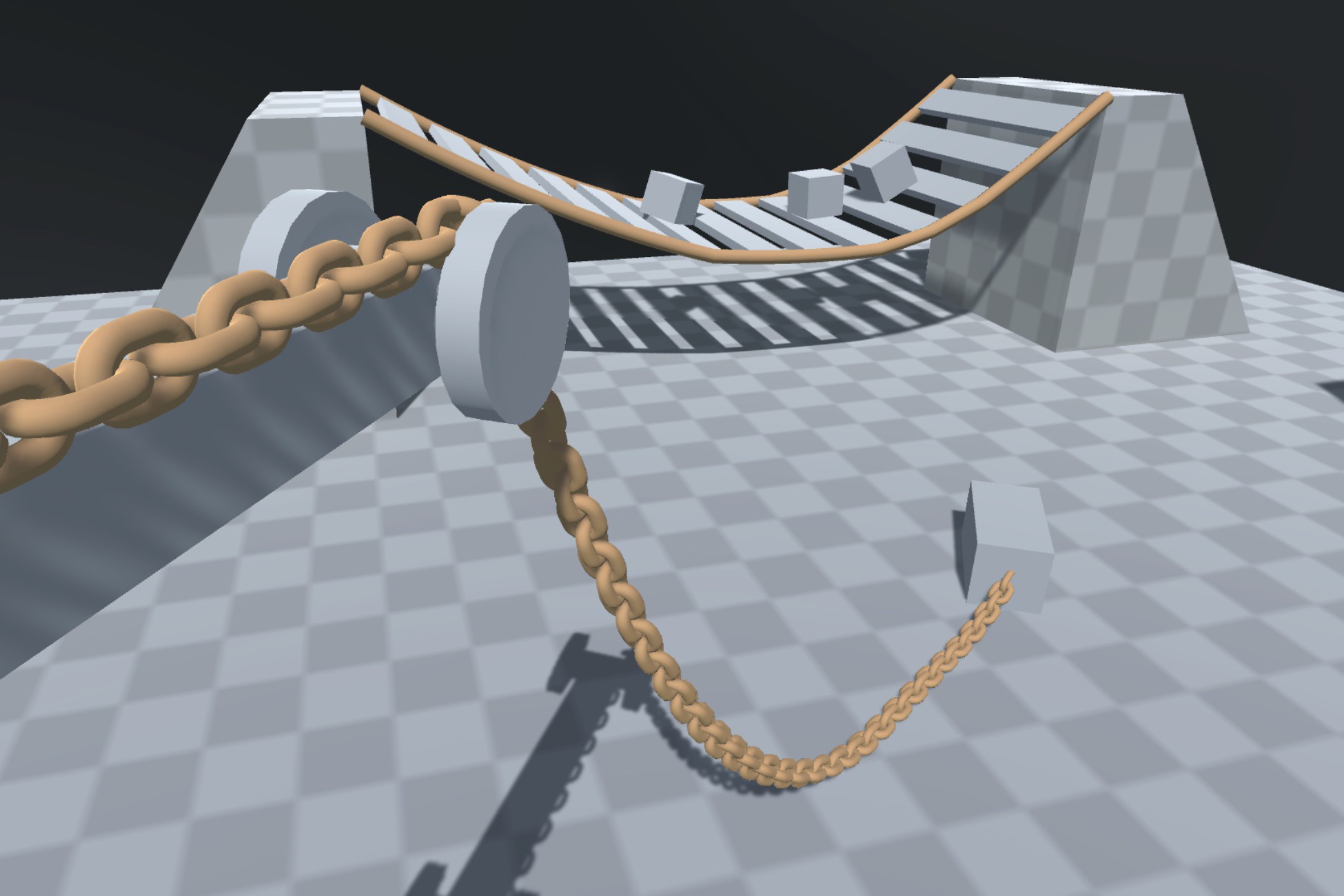
The Rope Toolkit brings stable and fast rope physics to your project. The rope component can be used to simulate simple wires or more advanced setups with pulleys and weights that require active collision detection. The bundled example scenes show how to connect the rope up to simulate cranes, rope bridges, swings and a boxing ring.
The rope component is written with performance in mind and many compute intensive tasks are handled by Unity jobs on separate threads accelerated using the Burst compiler. As a result, the toolkit has excellent performance on mobile devices.
Website with Demos & Readme
From the publisher's Asset Store listing.
Technical details
Requirements
* Burst 1.1.2 or above
Features
* Stable & fast rope physics
* Mobile friendly!
* Many tweakable user parameters
* Ability to dynamically split ropes using the SplitAt() method
* 4 different rope connection types allow interaction with the rest of the scene
- Pin Rope To Transform
- Pin Transform To Rope
- Pull Rigidbody To Rope
- Two Way Coupling Between Rigidbody And Rope
* Scene view handles for adjusting rope spawn curve
* High performance is achieved using Unity jobs and the Burst compiler
- Typical performance for the example scene with collisions enabled:
- ~0.2 ms spent in job threads
- ~0.7 ms spent on the main thread
- Typical performance for the example scene with collisions disabled:
- ~0.15 ms spent in job threads
- ~0.35 ms spent on the main thread
* Full source code
* Example scenes
- Main
- Shows how ropes and rigidbodies can be connected together in a typical scene
- Use the mouse to interact with the rope and the Space key to split ropes being interacted with
- DynamicAttach
- Shows how to attach and detach ropes using the scripts
- BoxingRing
- Shows how rope and rigidbodies can influence each other through collisions
Current Limitations
* Collision support for convex Mesh, Box, Sphere and Capsule colliders only
* Scripting knowledge required for creating stable rope suspended platforms other than rope bridges
Compatibility
| Unity version | Built-in | URP | HDRP | Custom |
|---|---|---|---|---|
| 2019.4.40f1 | Compatible | Compatible | Compatible | Compatible |
As listed on the Asset Store.