
 View on Asset Store (opens in new tab)
Package details
- Latest version
- 2.5.1
- Last updated
- First released
- Unity version
- 6000.0.22 or later
- Package size
- 251.8 MB
- Files
- 329
- Favorites
- 488
- Views in the past week
- 101
Price tracking
- Last checked
- Tracked since
- Lowest recorded
- $9.45 on
Keywords

Easy Minimap System MT - GPS, Radar, Worldmap, Fog of War & More
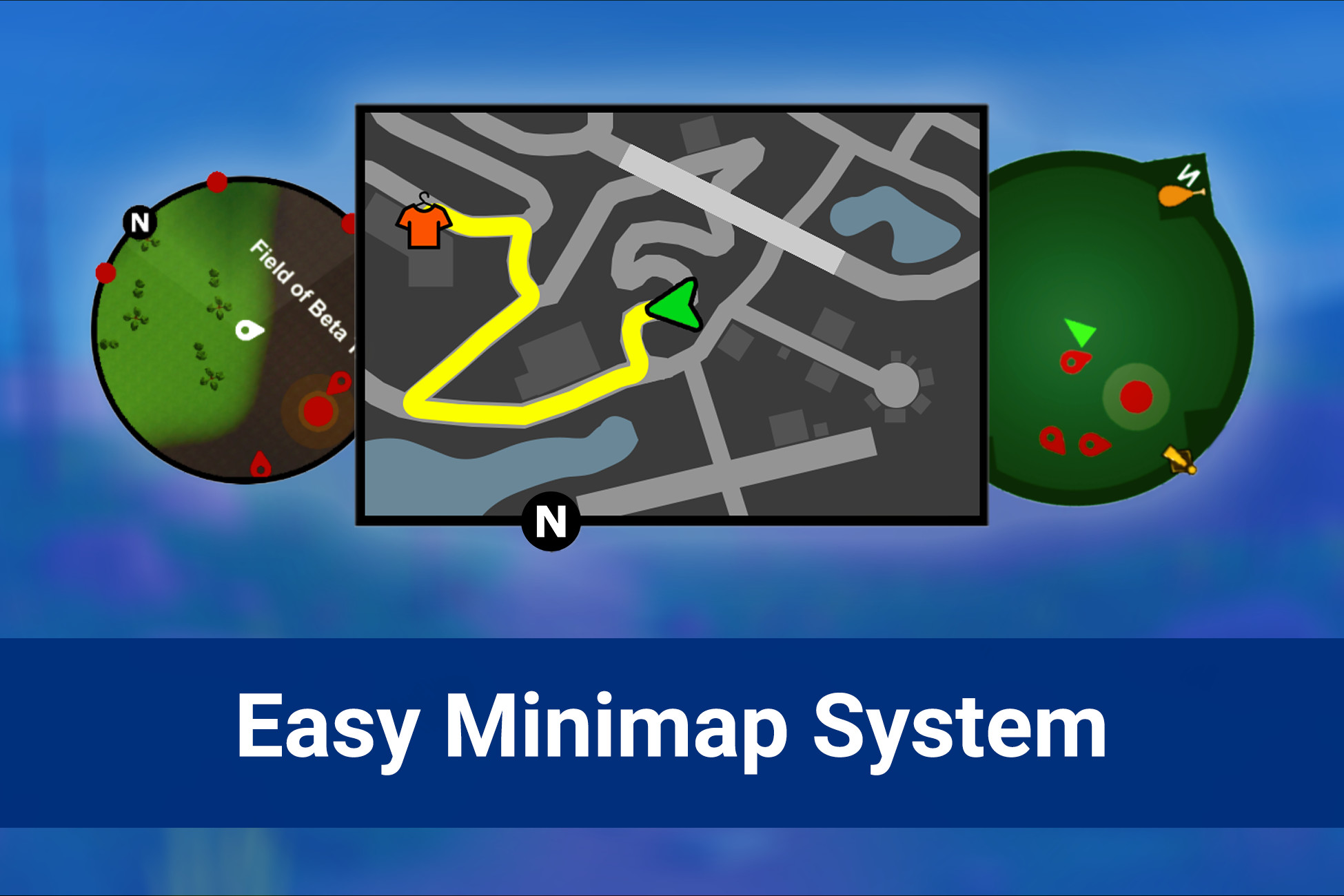
Easy Minimap System is a tool that allows you to create a complete Minimap, Radar or World Map for your 3D game. This includes GPS Navigation, Fog of War, Compass, Fullscreen Worldmap and more!
Affiliate link · Purchases support this site
Price history
Last 6 months
USDAsset preview
1 / 14

Easy Minimap System MT - GPS, Radar, Worldmap, Fog of War & More screenshot 1


About this asset
The tool's workflow is simple, complete and powerful. Easy Minimap System allows you to create a Minimap with Fog of War, GPS Navigation, Animated Icons, Texts, Sprites and more. You have everything you need!
Optimization is also a focus of this tool, EMS can scan your scene and save it to a PNG image to show on the Minimap in a lightweight way, if you prefer. There is also a full C# API so you can control every aspect of your Minimap in Runtime.
Some Features of This Tool
● It works very optimized (even on mobile devices).
● It is compatible with Mouse, Touch, Keyboard, Joystick and ANY other type of control.
● It has a Compass system that can show Minimap Icons.
● Display any GameObject you want, inside the Minimap.
● Set the Sprite you want, to show a GameObject from your scene on the Minimap.
● Minimap Icons are rendered on the Minimap, using the standard Units scale.
● Minimap Icons can run animations to highlight them in Minimap.
● Minimap Icons automatically follow the rotation and movement of your GameObjects.
● Minimap Icons that are far away can be displayed prominently at the border of the Minimap.
● The Minimap can be displayed in Circular, Square and Rectangular formats.
● Minimap Icons that are on the border of the Minimap can rotate in any shape.
● Fully customizable and resizable Minimap.
● Support for creating Worldmaps in Fullscreen.
● Receive and handle player-made inputs and touchs easily on your Worldmap.
● Render Icons, Sprites, Texts, Lines, Routes and more on your Minimap.
● Scan your scene to display a Sprite of your scene, rather than rendering your scene again on Minimap.
● You can edit the PNGs generated by scanning your scene.
● Scanning can be done in Editor or Runtime. You can adjust the height to scan caves for example.
● If you don't want to scan, you can display your scene in Realtime 3D on the Minimap.
● You can customize, enable or disable the North icon as well.
● Great and complete documentation.
● It has an intelligent and easy-to-configure GPS navigation system.
● GPS Navigation will always display the shortest path between any points you want in the scene.
● Fog of War system with Load/Save current state support.
● You can check if specific areas were discovered under the Fog of War.
● A Minimap Icon is automatically Enabled/Disabled if its owner GameObject is Enabled/Disabled.
● It has a complete and well-documented C# API to fully control Minimap in Runtime.
● And more…
☆ I will always be working to provide support and updates for all my tools!
◆ Email for contact, support, feedback and questions: [email protected]
◆ Website of MT Assets: https://windsoft.xyz/mtassets
◆ MT Assets Community on Discord: https://discord.gg/44aGAt4Sv4
Created with ❤ by MT Assets!
From the publisher's Asset Store listing.
Technical details
Note: Currently the Easy Minimap System only supports the "Screen Space - Overlay" mode on Canvas. This rendering mode is required for some functionality.
Compatibility
| Unity version | Built-in | URP | HDRP | Custom |
|---|---|---|---|---|
| 6000.0.22f1 | Compatible | Compatible | Compatible | Compatible |
Compatible with Unity 2018.1.0 and ANY newer version.
As listed on the Asset Store.