
 View on Asset Store (opens in new tab)
Package details
- Latest version
- 2.0
- Last updated
- First released
- Unity version
- 2018.3.5 or later
- Package size
- 5.0 MB
- Files
- 166
- Favorites
- 51
- Views in the past week
- 6
- Requires
Price tracking
- Last checked
- Tracked since
- Lowest recorded
- $9.99 on

AR Gallery Inventory Room
Price $15.99
Buy on Asset Store (opens in new tab)
Affiliate link · Purchases support this site
Price history
Last 6 months
USDAsset preview
1 / 5

AR Gallery Inventory Room screenshot 1


About this asset
NEW
EDITOR 2020
ARfoundation
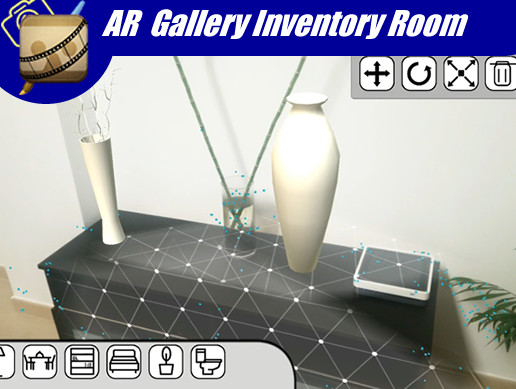
This package allows the developer to create AR gallery in which the users can select its models (pieces of furniture) and insert then into the real environment. The package implements the feature of changing the position, rotation and scale of the objects. The user can also delete an undesired object.
Follow the steps to make it work in your project:
1. Import ARfoundation (package manager)
2. Set the XR support to ARCore in player settings
3. Import the big furniture pack (DO NOT OVERRIDE--> only Models/textures).
4. Export to Android.
5. Search for planes
6. Touch the screen to detect a plane.
7. Insert your furniture from the gallery using the menu.
This package contains the following scenes:
1. AR scene: the one you need to export to andorid.
2. Inventory scene: in which you can test the inventory scripts.
3.Take Icon from camera: in which you can create icons from 3D models using png format.
This package needs the following packages:
Big furniture pack FREE
-------------------------------------------------------
TEST NEW APK BEFORE BUYING
TEST OLD APK BEFORE BUYING
-------------------------------------------------------
From cardboard buddies we want to give the best customer service, so we are available 24/7 for all doubts, errors in code and potential modifications. We are available at [email protected].
From the publisher's Asset Store listing.