
 View on Asset Store (opens in new tab)
Package details
- Latest version
- 1.1
- Last updated
- First released
- Unity version
- 5.6.5 or later
- Package size
- 132 KB
- Files
- 12
- Favorites
- 112
- Views in the past week
- 18
Price tracking
- Last checked
- Tracked since
- Lowest recorded
- Free on
Keywords
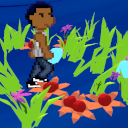
Waving Interactive Grass
Price Free
Get it free on Asset Store (opens in new tab)
Affiliate link · Purchases support this site
Price history
Last 6 months
USDAsset preview
1 / 2

Waving Interactive Grass screenshot 1

About this asset
A shader that makes meshes waving in the wind. Can react to objects that bends the grass. It doesn't use billboards or terrains, but normal 3d objects. The wind effect is not global, but moves like waves over the area (different at each location).
— Content —
- GrassWind shader
- Test Scenario
- Player with simple movements
- Low poly grass mesh
- GrassController C# script for setting up the grass and interaction
— Requirements —
Shader: Works on all platforms supported by Unity. DX9 shader model 2.0.
— Usage —
Add all grass, flowers, mushrooms, etc. objects you want to use to the GrassPrefabs list of the GrassController.
All these objects must use a material with the GrassWind shader.
Add the InteractionTag string defined in the GrassController as tag to all objects that should be able to interact with the grass.
Adjust the shader settings for your needs.
— Sources —
- Gras mesh: Low Poly: Foliage
- Shader tutorial: Waving Grass Shader in Unity
— Support —
Need help? Contact me on Discord.
— Follow me —
Discord
Instagram
Twitter
Facebook
YouTube
— Content —
- GrassWind shader
- Test Scenario
- Player with simple movements
- Low poly grass mesh
- GrassController C# script for setting up the grass and interaction
— Requirements —
Shader: Works on all platforms supported by Unity. DX9 shader model 2.0.
— Usage —
Add all grass, flowers, mushrooms, etc. objects you want to use to the GrassPrefabs list of the GrassController.
All these objects must use a material with the GrassWind shader.
Add the InteractionTag string defined in the GrassController as tag to all objects that should be able to interact with the grass.
Adjust the shader settings for your needs.
— Sources —
- Gras mesh: Low Poly: Foliage
- Shader tutorial: Waving Grass Shader in Unity
— Support —
Need help? Contact me on Discord.
— Follow me —
Discord
YouTube
From the publisher's Asset Store listing.
Compatibility
| Unity version | Built-in | URP | HDRP |
|---|---|---|---|
| 2023.2.13f1 | Compatible | Not listed | Not listed |
As listed on the Asset Store.