
 View on Asset Store (opens in new tab)
Package details
- Latest version
- 1.0
- Last updated
- First released
- Unity version
- 2018.3.11 or later
- Package size
- 5.0 MB
- Files
- 11
- Favorites
- 219
- Views in the past week
- 44
Price tracking
- Last checked
- Tracked since
- Lowest recorded
- $12.49 on
Keywords

Realistic Gun Fu Animations
- Price drop
Discount -32%
Previous price
$24.99
Price $16.99
Get 32% off on Asset Store (opens in new tab)
Affiliate link · Purchases support this site
Price history
Last 6 months
USDAsset preview
1 / 3

Realistic Gun Fu Animations screenshot 1


About this asset
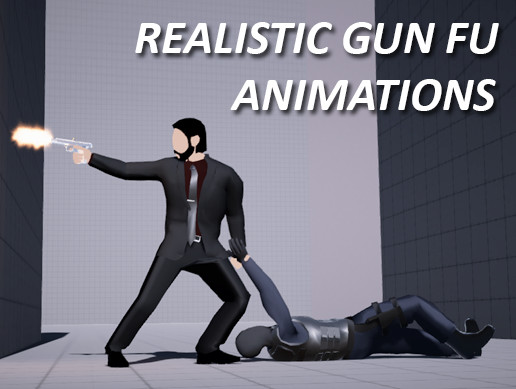
Inspired by Atomic Blonde and John Wick for any modern action game.
This package includes:
*An Assassin character with switchable clothes and body parts
*A Mercenary character with switchable clothes and body parts
*Over 40 Gun Fu Style-Consistent Animations
*Choreography and posing based on actual Special Ops and Martial Arts Footage
*Scene Demonstration of a Melee Takedown with Root Motion enabled and Inverse Kinematics.
Using Mecanim and clean commented code.
Note for people who experience an issue with the demo scene:
Problem: If you look at the Layer tab of the player and enemy characters you can see that it's blank. It's apparently not been imported along with the package since it's editor based.
Solution: Create two extra layers, name one "Player" and the other "Enemy".
Assign the layers to the two characters (Player and Enemy).
Select "No, this object only".
Go to Project Settings > Physics and disable the interaction between both said layers in the Layer Collision Matrix.
Hit Play and it'll work now. :)
From the publisher's Asset Store listing.