
 View on Asset Store (opens in new tab)
Package details
- Latest version
- 1.6.3
- Last updated
- First released
- Unity version
- 2018.4.23 or later
- Package size
- 37.2 MB
- Files
- 31
- Favorites
- 94
- Views in the past week
- 17
Price tracking
- Last checked
- Tracked since
- Lowest recorded
- $7.90 on
Keywords
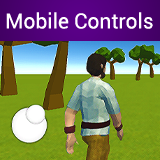
Mobile Input Controls MT
Mobile Input Controls is a tool that adds a set of new components to your Editor. Each component brings a new type of control, in which the Player can interact with your game.
Affiliate link · Purchases support this site
Price history
Last 6 months
USDAsset preview
1 / 12

Mobile Input Controls MT screenshot 1


About this asset
The controls of the Mobile Input Controls are very well programmed and developed to be equal to controls of games AAA. To use the Mobile Input Controls, you just need to create an empty GameObject on your Canvas UI, and then add the desired control component! All controls are designed to be as optimized as possible, do not worry about performance losses! The package also comes with some demonstration scenes that show the use of the controls. You can also study and analyze simple scripts of demo scenes to get inspired by your own logic!
- Mobile Input Controls offers some different types of controls. Each one performs different functions, see below!
- Joystick Axis
● This is a virtual joystick to which the player can interact to move a character for example.
● High optimization.
● Smooth Moves.
● Highly configurable, customizable and depurable.
● Works with touch screen of mobile or mouse of Editor.
● Modifiable via script, at runtime.
● Recognizes when the player places or removes finger from the area.
- Drag Area
● An area that recognizes every time the player drags a finger inside it. This area and its size can be configured by you. The Drag Area returns the sliding movements that the player makes, perfect for moving the camera and making FPS or Third Person mechanics for example.
● High optimization.
● Works with touch screen of mobile or mouse of Editor.
● Highly configurable and depurable.
● Multi-touch protection (which prevents incorrect calculation of movement).
● Recognizes when the player's finger is standing.
● Recognizes when the player places or removes finger from the area.
- I will always be working to bring improvements and new features!
- Email for support or contact ([email protected])
- Website (https://windsoft.xyz/mtassets)
Created with ❤ by MT Assets!
From the publisher's Asset Store listing.