
 View on Asset Store (opens in new tab)
Package details
- Latest version
- 1.01
- Last updated
- First released
- Unity version
- 2018.2.17 or later
- Package size
- 1.8 MB
- Files
- 27
- Favorites
- 30
- Views in the past week
- 4
Price tracking
- Last checked
- Tracked since
- Lowest recorded
- $14.99 on
Keywords
SwarmUi
Price $14.99
Buy on Asset Store (opens in new tab)
Affiliate link · Purchases support this site
Price history
Last 6 months
USDAsset preview
1 / 2

SwarmUi screenshot 1

About this asset
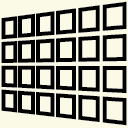
Create a curved user interface with swarm like fade animations by just adding 3 scripts.
Ui elements start fading in from remote destination with a rotation the user can define.
This asset is basically for AR/VR usage due to world space camera usage.
Parameters to customize:
- amount of rotations
- range of randomized animation time, so items arrive with a slight offset to each other
- Lots of easing functions
Setup: Just place the "SwarmController" and the collection script on the ui root canvas. Add lots of ui elements as children and place the UiFlipAnimatior script on each child which should be animated and set individual parameters. Hit the "Test animation" button in the inspector ui of the swarm controller. Et voilà!
An example with functionality is provided.
No custom raycaster or event system needed. Just works with standard unity ui components.
Ui elements start fading in from remote destination with a rotation the user can define.
This asset is basically for AR/VR usage due to world space camera usage.
Parameters to customize:
- amount of rotations
- range of randomized animation time, so items arrive with a slight offset to each other
- Lots of easing functions
Setup: Just place the "SwarmController" and the collection script on the ui root canvas. Add lots of ui elements as children and place the UiFlipAnimatior script on each child which should be animated and set individual parameters. Hit the "Test animation" button in the inspector ui of the swarm controller. Et voilà!
An example with functionality is provided.
No custom raycaster or event system needed. Just works with standard unity ui components.
From the publisher's Asset Store listing.