
 View on Asset Store (opens in new tab)
Package details
- Latest version
- 1.1
- Last updated
- First released
- Unity version
- 2018.2.2 or later
- Package size
- 2.1 MB
- Files
- 17
- Favorites
- 138
- Views in the past week
- 6
Price tracking
- Last checked
- Tracked since
- Lowest recorded
- Free on
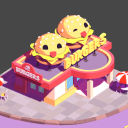
Cartoon Vertex Color Shader
Price $8.00
Buy on Asset Store (opens in new tab)
Affiliate link · Purchases support this site
Price history
Last 6 months
USDAsset preview
1 / 4

Cartoon Vertex Color Shader screenshot 1


About this asset
Click here to see more products in our Unity Asset Store.
[ABOUT]
This package presents a shader that was created to work with the 3D model vertices color and with the diffuse texture.
So the workflow does not necessarily require the creation of a UV-mapping and a texture. All you need to do is to attach the necessary color to the model vertices in any 3D editor. Yet you can create a diffuse texture for more detailed models or when it's easier to convey details using texture.
Such a simplified workflow is to hasten the developing and prototyping of your games.
N. B.! The shader works with one directional light only. The color and intensity don't matter, only its ray tilt angle does. So you won't be able to create scenes with complex lighting (with two or more light sources or night scenes)
[OPTIMIZATION]
The shader is optimized for mobile apps projects and multiple usage of only one material for different models will allow you to reduce render passes in Unity. You also save your time and reduce project size as there is no need to create textures.
[TECHNICAL ANNOTATION]
The shader is compatible with standard post-processing stack.
After importing the pack you'll find the shader in the scroll “Custom/TintedLightRampShader" and version with texture option in the scroll “Custom/TintedLightRampShaderTex".
Lowest version is Unity 2018.
You'll also find several models in the demo scene to show you some material options created using the shader.
Here you can find more detailed instructions on working with the shader.
Suggestions, comments, feedback are highly appreciated! Contact info:
[email protected]
[ABOUT]
This package presents a shader that was created to work with the 3D model vertices color and with the diffuse texture.
So the workflow does not necessarily require the creation of a UV-mapping and a texture. All you need to do is to attach the necessary color to the model vertices in any 3D editor. Yet you can create a diffuse texture for more detailed models or when it's easier to convey details using texture.
Such a simplified workflow is to hasten the developing and prototyping of your games.
N. B.! The shader works with one directional light only. The color and intensity don't matter, only its ray tilt angle does. So you won't be able to create scenes with complex lighting (with two or more light sources or night scenes)
[OPTIMIZATION]
The shader is optimized for mobile apps projects and multiple usage of only one material for different models will allow you to reduce render passes in Unity. You also save your time and reduce project size as there is no need to create textures.
[TECHNICAL ANNOTATION]
The shader is compatible with standard post-processing stack.
After importing the pack you'll find the shader in the scroll “Custom/TintedLightRampShader" and version with texture option in the scroll “Custom/TintedLightRampShaderTex".
Lowest version is Unity 2018.
You'll also find several models in the demo scene to show you some material options created using the shader.
Here you can find more detailed instructions on working with the shader.
Suggestions, comments, feedback are highly appreciated! Contact info:
[email protected]
From the publisher's Asset Store listing.