
 View on Asset Store (opens in new tab)
Package details
- Latest version
- v2.03
- Last updated
- First released
- Unity version
- 2018.4.25 or later
- Package size
- 179.6 MB
- Files
- 199
- Favorites
- 753
- Views in the past week
- 17
Price tracking
- Last checked
- Tracked since
- Lowest recorded
- $14.00 on
Keywords
AS LightShafts 2
Price $25.00
Buy on Asset Store (opens in new tab)
Affiliate link · Purchases support this site
Price history
Last 6 months
USDAsset preview
1 / 10

AS LightShafts 2 screenshot 1


About this asset
Supported pipelines:
Built-in: yes.
URP: yes.
HDRP: Not yet.
Designed with the focus on intuitive and flexible usability.
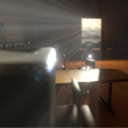
LightShafts 2 is a package that uses a classic technique to render shafts in your scene! No post processing or expensive volumetrics. This makes it ideal for scenes that need a very specific or custom style in their (faked) volume lighting. Everything can be baked down to a single mesh which makes it especially lightweight during render times.
Highly optimized, using as much shared meshes and materials as possible!
Create dynamic light shafts that adjust real-time or "Bake" them to gain an even greater performance boost!
Users are up and running in just a few clicks.
Simply place a generator, drag the direction-pointer to adjust angle/spread, and bake it into a single mesh.
LightShafts 2 gives that extra ambient boost of light presence in any scene.
Forum
Tech demo
Built-in: yes.
URP: yes.
HDRP: Not yet.
Designed with the focus on intuitive and flexible usability.
LightShafts 2 is a package that uses a classic technique to render shafts in your scene! No post processing or expensive volumetrics. This makes it ideal for scenes that need a very specific or custom style in their (faked) volume lighting. Everything can be baked down to a single mesh which makes it especially lightweight during render times.
Highly optimized, using as much shared meshes and materials as possible!
Create dynamic light shafts that adjust real-time or "Bake" them to gain an even greater performance boost!
Users are up and running in just a few clicks.
Simply place a generator, drag the direction-pointer to adjust angle/spread, and bake it into a single mesh.
LightShafts 2 gives that extra ambient boost of light presence in any scene.
Try before you buy (non-commercial license)
WebsiteForum
Tech demo
From the publisher's Asset Store listing.