
 View on Asset Store (opens in new tab)
Package details
- Latest version
- 1.1
- Last updated
- First released
- Unity version
- 5.6.6 or later
- Package size
- 1.3 MB
- Files
- 32
- Favorites
- 68
- Views in the past week
- 9
Price tracking
- Last checked
- Tracked since
- Lowest recorded
- Free on
Keywords
Shadow Transform
Affiliate link · Purchases support this site
Price history
Last 6 months
USDAsset preview
1 / 8

Shadow Transform screenshot 1


About this asset
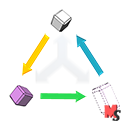
ShadowTransform is a tool that stores previous positions for your objects (as well as their scale and rotation) — and allows you to return back to any moment.
Switch between old and new positions as you want.
In one click.
After any number of changes.
Now you can effortlessly switch between different variants of arrangement of objects, gameplay tests becomes much more comfortable.
Why do I need this?
When you make a game, there comes a time to rearrange objects in your level. Let's move that rock to the left by three meters. Then we'll try to slightly move a building, then drag monsters around, then swap two rooms, then... Later, after a week of tests, you’ve realized that rock, in general, was in an ideal spot.
So, how to return it back without un-doing other changes?
More info you can get here.
From the publisher's Asset Store listing.
Technical details
And ShadowTransform will do this for you:
● Easy gameplay twicking — save a position for your monster, then drag it to another place, remember the second position. Now you can switch between positions with one button. Great for play-tests!
● Temporary alterations of the level — move object «A» here, then move objects «B» and «C» there. How to return «A» in place without touching «B» and «C»? Our component will do it for you any time you want.
● Separate testing for parts of a level — save multiple start positions for player and switch between them in one click. Works even when game is playing!
● Save states in runtime and restore them in edit mode!
● Any OS supported!
IMPORTANT!
Requires «Cameras», «Characters», «Effects» and «Particle Systems» from MdCode2's Standard Assets to be imported in project to run demo!
Documentation on our asset.
Compatibility
| Unity version | Built-in | URP | HDRP | Custom |
|---|---|---|---|---|
| 2022.3.60f1 | Compatible | Compatible | Compatible | Compatible |
Compatible with any kind of render pipeline.
As listed on the Asset Store.