
 View on Asset Store (opens in new tab)
Package details
- Latest version
- 1.2.1
- Last updated
- First released
- Unity version
- 2018.4.36 or later
- Package size
- 5.5 MB
- Files
- 22
- Favorites
- 103
- Views in the past week
- 12
Price tracking
- Last checked
- Tracked since
- Lowest recorded
- $8.00 on
Keywords
JustWithJoints: Body Controller with Joint Locations
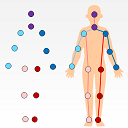
JustWithJoints controls 3D avatars just with 14 joint locations. It supports skeleton, Unity-Chan, Alicia and Mixamo Avatars.
Affiliate link · Purchases support this site
Price history
Last 6 months
USDAsset preview
1 / 5

JustWithJoints: Body Controller with Joint Locations screenshot 1


About this asset
JustWithJoints provides simple examples to control 3D avatars just with joint locations.
It estimates bone lengths and orientations and retarget them to 3D avatars
(Skeleton, Unity-Chan, Alicia and Mixamo Avatars ).
Especially, I believe this asset helps researchers of 3D pose estimation.
Most of recent deep learning based approaches output only 3D joint locations.
In these case, researchers need to estimate bone orientations just from joint 3D locations.
However, againt intuition, how to do this is not obvious and it is hard to find sample codes.
(At least, I could not find anything helpful)
(Inverse kinematics often generate unstable results because they are dependent on initial pose)
JustWithJoints is for you! It contains simple and great examples:
- Assets/JustWithJoints/Scenes/1_Locations.unity: Control a skeleton simply by retargetting joint locations.
- Assets/JustWithJoints/Scenes/2_FK.unity : Control a skeleton by estimating bone rotations and running forward kinematics
- Assets/JustWithJoints/Scenes/3_Avatars.unity : Control three 3D avatars (skeleton, Unity-Chan and Alicia) with the estimated bone orientations.
- Assets/JustWithJoints/Scenes/4_Mixamos.unity : Control three mixamo avatars.
Internally, we convert 14 joint locations to 13 bone lengths and orientations.
How to use
1. Import JustWithJoints.unitypackage
2. Download and import two third-party 3D models.
a. Unity-chan model, version 1.2.1 (for `3_Avatars.unity`)
- http://unity-chan.com/download/index.php
- Import `UnityChan_1_2_1.unitypackage`
- Remove "using System.Security.Policy;" in Line 8 in "Assets/UnityChan/Scripts/AutoBlink.cs" to fix compiler errors.
b. Alicia (ニコニコ立体ちゃん), version 4 (for `3_Avatars.unity`)
- http://3d.nicovideo.jp/works/td14712
- Import `Alicia/Alicia/Unity Package/Alicia.unitypackage`
c. Miaxmo T-posed avatars (`4_Mixamos.unity`)
- https://www.mixamo.com/#/?page=1&type=Character
- Download 3 FBX files of Mutant, Remy and peasant_girl into `Assets/Mixamo/` with options "FBX for Unity(.fbx)" and "T-pose"
3. Open any of scenes in Assets/JustWithJoints/Scenes and run it.
4. You can find the avatars are animating!
About Motion Data
The motion files in Assets/JustWithJoints/MotionData are made from `CMU Graphics Lab Motion Capture Database`.
We load asf/amc files, calculate joint locations and save as the text files.
cf. http://mocap.cs.cmu.edu/
From the publisher's Asset Store listing.
Technical details
- Pure C# code of converting bone rotations from joint locations.
- Simple examples of retargeting the converted pose to 3D avatars.