
 View on Asset Store (opens in new tab)
Package details
- Latest version
- 1.0.12
- Last updated
- First released
- Unity version
- 2021.3.31 or later
- Package size
- 168.7 MB
- Files
- 309
- Favorites
- 122
- Views in the past week
- 24
Price tracking
- Last checked
- Tracked since
- Lowest recorded
- $5.99 on
Keywords

Fast Volumetric Area Fog | Height, Spherical, Box, Mesh
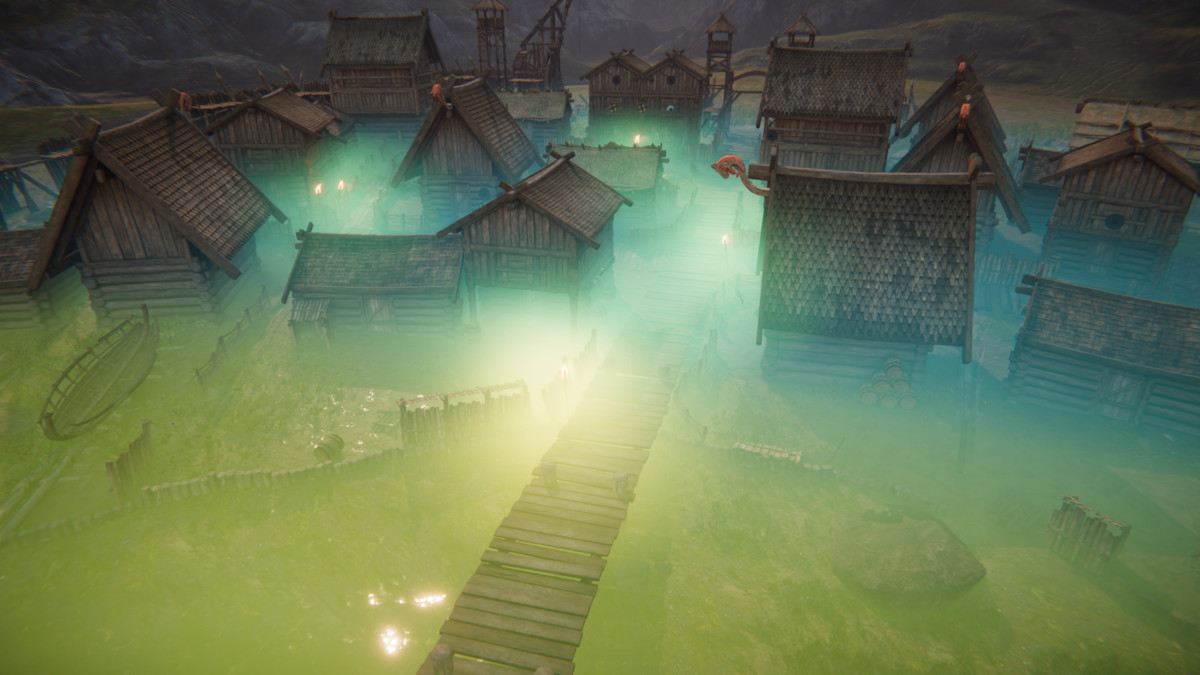
Fast and performant area volume fog shaders including height fog, spherical fog and more, with lit and unlit version that will add ambient atmosphere to your game.
Affiliate link · Purchases support this site
Price history
Last 6 months
USDAsset preview
1 / 26

Fast Volumetric Area Fog | Height, Spherical, Box, Mesh screenshot 1




About this asset
Fast and flexible volumetric fog shader.
| DOCUMANTATION | DEMOS | SUPPORT | DISCORD | TWITTER |
Just place fog object, specify its volume (box, spherical or custom mesh) and tweak parameters - all objects inside will be affected by fog - no need to write custom surface shaders for those objects.
Fog effect renders everything using special surface shader, that calculates fog density based on fog type, depth, volume parameters and fog parameters. Simple optimized math is used making everything performant. Lighting model uses aproximations for scattering calculation and fits into existing Unity lights rendering pipeline.
Allows creating area volumetric fog effects of different types:
- Height - Fog density is distributed on the object's local Y axis.
- SphericalPos - Fog density is distributed inside sphere volume, density depends on point position 100% at sphere center - 0% on sphere radius.
- SphericalDist - Fog density is distributed inside sphere volume, density depends on the distance that view ray travels inside sphere volume.
- InvertedSpherical - Fog is rendered inside box volume, but there is a spherical area without fog in the center of the volume. This might be useful for Battle Royale type games.
- ViewAligned - fog is rendered relative to camera position and view. This is as the default global fog is rendered but - in this case it’s limited to specific box volume.
- BoxPos - Fog is rendered inside box volume - density depends on position and distance from the center of the box.
- BoxDist - Fog is rendered inside box volume - density depends on the distance that view ray travels inside box volume.
- BoxExperimental - This is a more complex fog type, that renders inside box volume. It works similar to BoxPos - density depends on position and distance from the center of the box, but it’s much smoother. There are however some imperfections when looking from different angles. Select the best type for your use case.
- Mixed Fog Types - Those special fog types are mixing two Basic Fog Types to achieve better visual results like smooth edges for height fog. Including: InvertedSphericalXHeight, HeightXBox, HeightXView, BoxXView
Unlit and Lit version with light scattering inside volume. Dynamic Point and Directional lights are supported (More planned in updates). Light scattering is adjusted with three parameters to mach lighting style of the game.
Works with BuiltIn and Universal render pipeline. (HDRP planned in future updates)
Forward and Deferred rendering support.
GPU instancing batches multiple fog volumes of the same type (parameters variation is still allowed) for improved performance.
Support for Perspective and Orthographic camera.
Support for VR single pass instanced and multipass rendering.
Good for any game type Top Down, FPP, TPP.
What it can be used for:
- height fog on the floor in catacombs
- underwater effect
- space nebula/dust
- planet atmosphere
- area effects over vegetation and swamps
- improvement of spell effects
- local fog inside single room
- fog inside crevasses, caves, holes
- light volumetrics
- masking areas outside of playable zone
Please note that this asset require Depth Texture to be enabled to work.
Known Limitations:
- only Unlit version will work with URP 2D Renderer
- Lit version is not properly rendered with Forward+
From the publisher's Asset Store listing.
Technical details
Tested with Unity 2021.3.31f1, 2022.3.21f1, 2023.2.14.f1
Planned festures:
- HDRP support
- Shadows support
- Spot light support
Compatibility
| Unity version | Built-in | URP | HDRP |
|---|---|---|---|
| 2021.3.31f1 | Compatible | Compatible | Not listed |
As listed on the Asset Store.