
 View on Asset Store (opens in new tab)
Package details
- Latest version
- 2.0
- Last updated
- First released
- Unity version
- 2020.3.16 or later
- Package size
- 6.1 MB
- Files
- 209
- Favorites
- 603
- Views in the past week
- 285
Price tracking
- Last checked
- Tracked since
- Lowest recorded
- Free on
Keywords
FANTASTIC UI STARTER PACK
Free fantasy RPG UI kit: parchment, wood and stone windows, buttons, bars, inventory slots and 50+ item icons, with ready prefabs, drag and drop inventory, tooltips and a playable demo.
Affiliate link · Purchases support this site
Price history
Last 6 months
USDAsset preview
1 / 8
FANTASTIC UI STARTER PACK screenshot 1
About this asset
Give your RPG a home-made fantasy interface in minutes. For free.
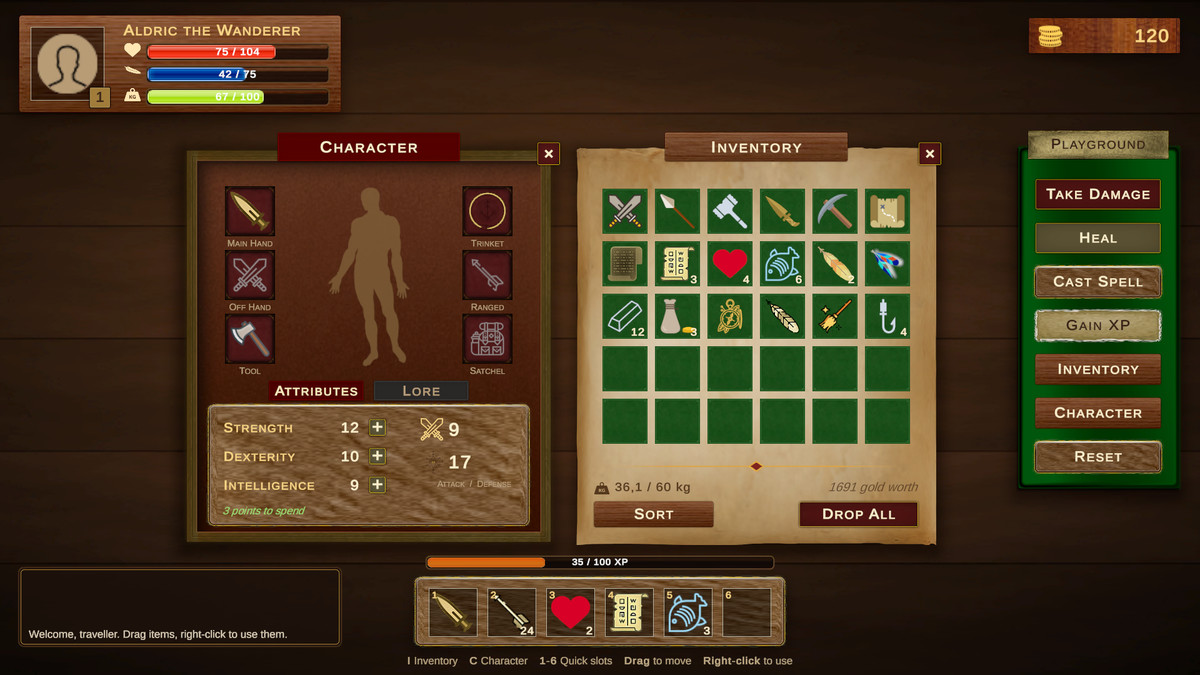
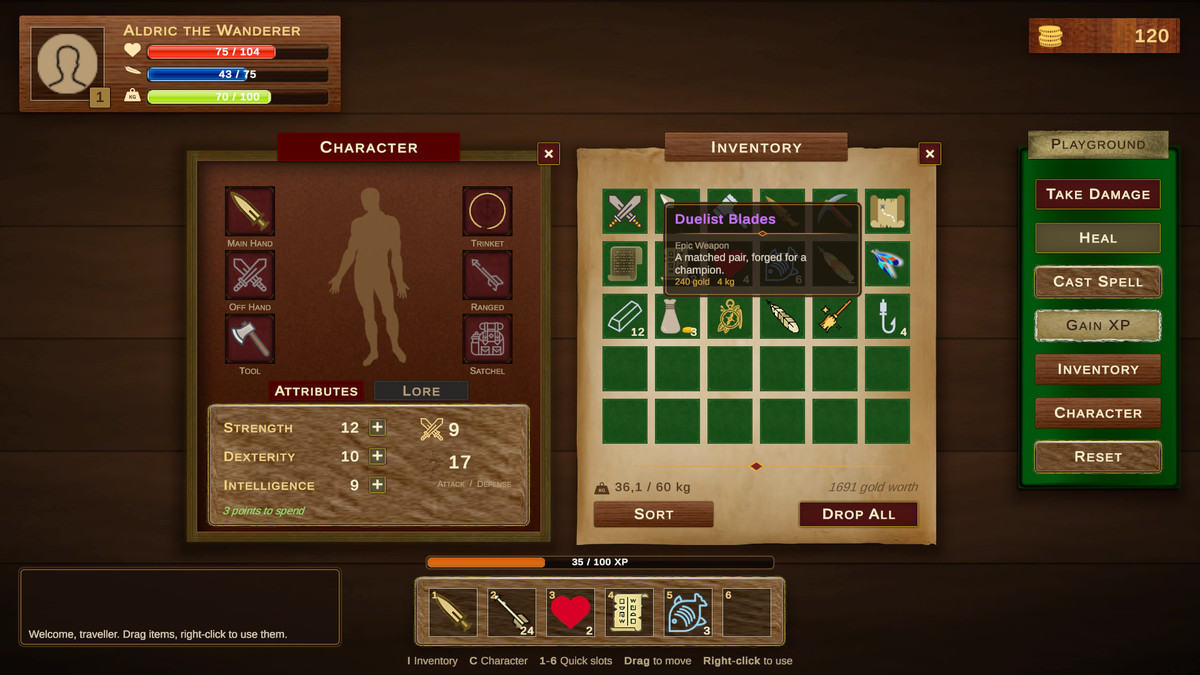
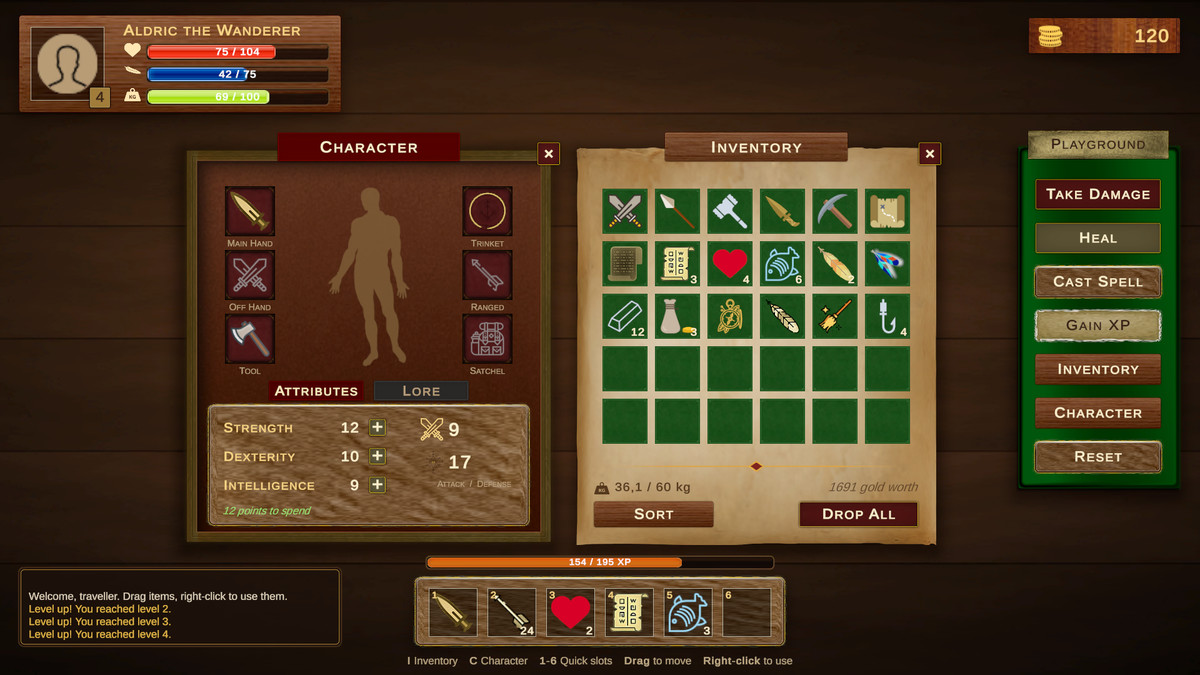
Fantastic UI Starter Pack 2.0 is a full remaster of the original pack. Every piece of art is now its own named, 9-sliced sprite. Ready prefabs and a few small scripts turn them into a working RPG interface: character sheet, inventory with drag and drop, health and mana bars, quick slots, tooltips and dialogs.
ART
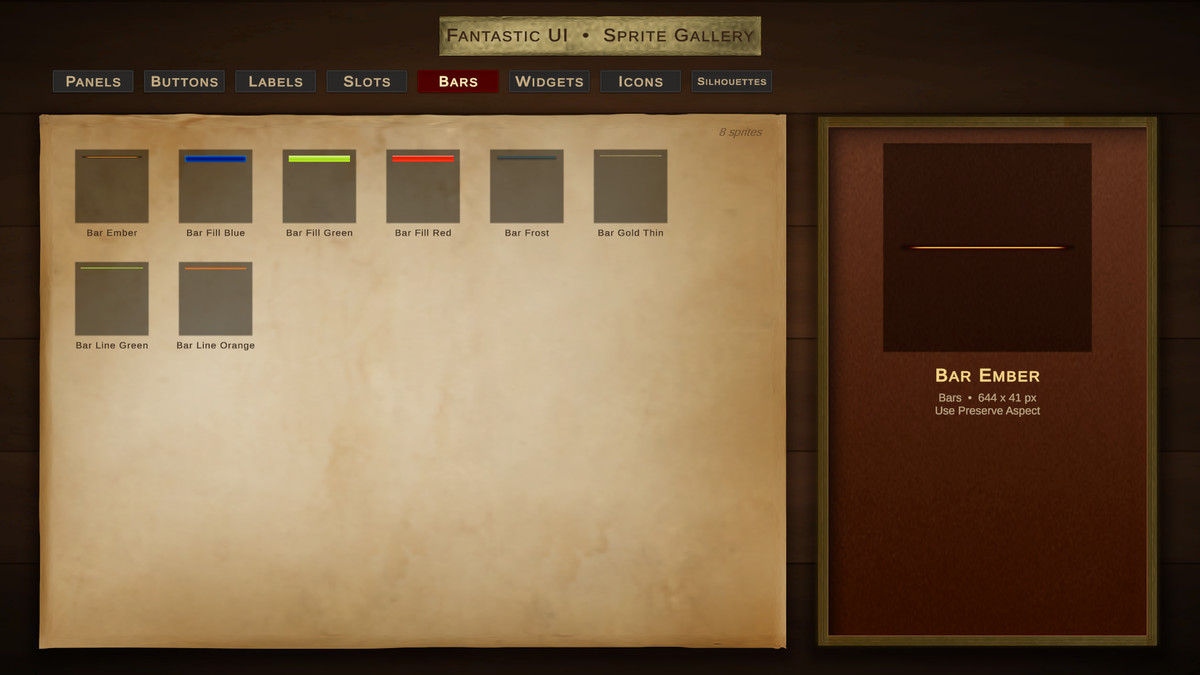
• 126 sprites in 8 categories: Panels, Buttons, Labels, Slots, Bars, Widgets, Icons and Silhouettes
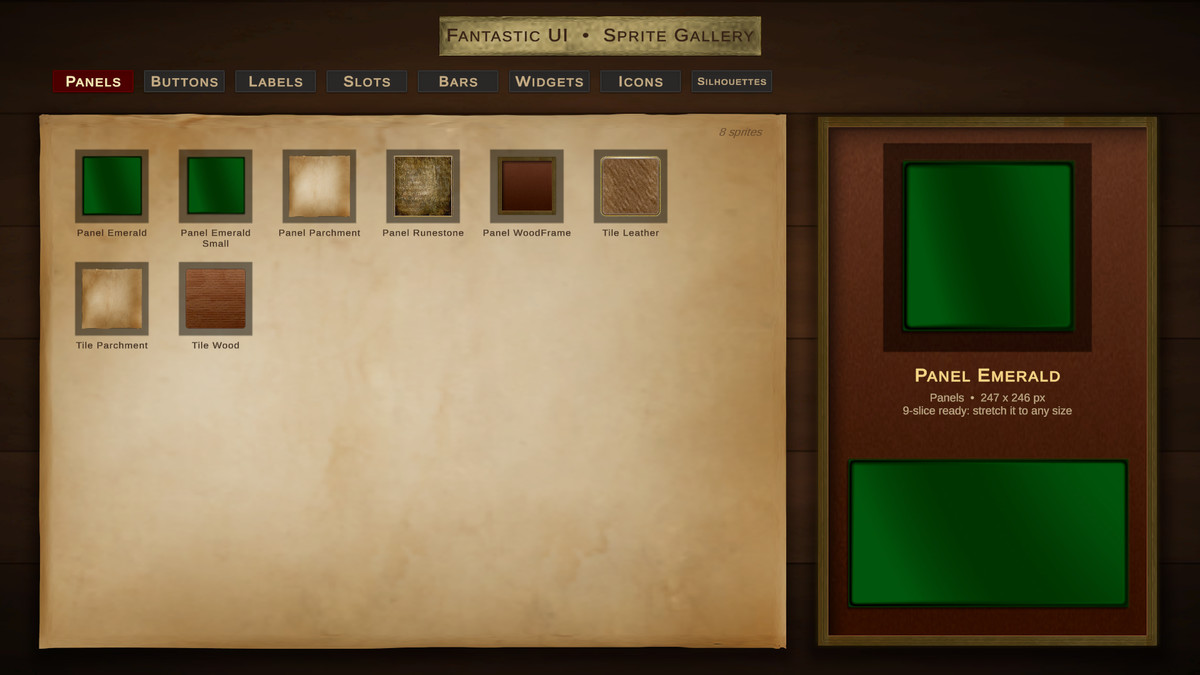
• Parchment, wood, leather, runestone and emerald panels and windows
• 8 buttons, 8 labels and 12 inventory slots in matching styles
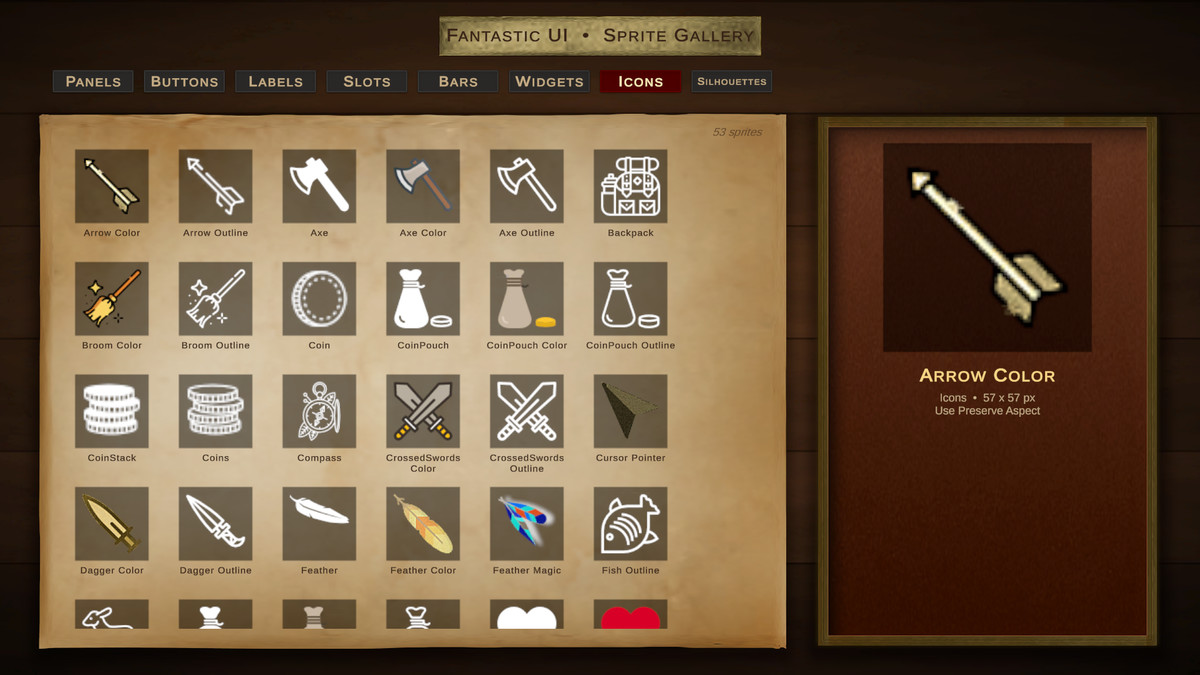
• 53 item icons: weapons, tools, treasure, scrolls, food, feathers and more, in color and in white versions you can tint
• Human, warrior and horse silhouettes for equipment screens
• Health, mana, stamina and experience bars
• 6 mouse cursors
• Panels, buttons, labels and slots are 9-sliced: stretch them to any size
• Everything packed in one Sprite Atlas, so a full screen of UI draws in a few batches
READY PREFABS
• 4 draggable windows with title and close button
• Buttons with hover glow and press feedback
• Health, Mana, Stamina and Experience bars with smooth fill and a damage trail
• Inventory slots, tooltip, toggle, slider, divider and a ready canvas
• Add them from GameObject > MyIndie.Games > Fantastic UI. A canvas and an event system are created for you
SMALL SCRIPTS THAT DO THE WORK
• Bar: set a value from code and the fill animates
• Window: open, close and toggle with a fade, drag by the header, bring to front on click
• Item: a ScriptableObject with icon, rarity, category, stack size, value and weight
• Slot and Inventory: drag and drop, swap and stack merging, category rules for equipment slots, right-click to use
• Tooltip: follows the pointer, stays on screen, item names colored by rarity
• Tab Group, Button Feedback, Cursor and an Event System helper that works with the Input System and the legacy Input Manager
PLAYABLE DEMO
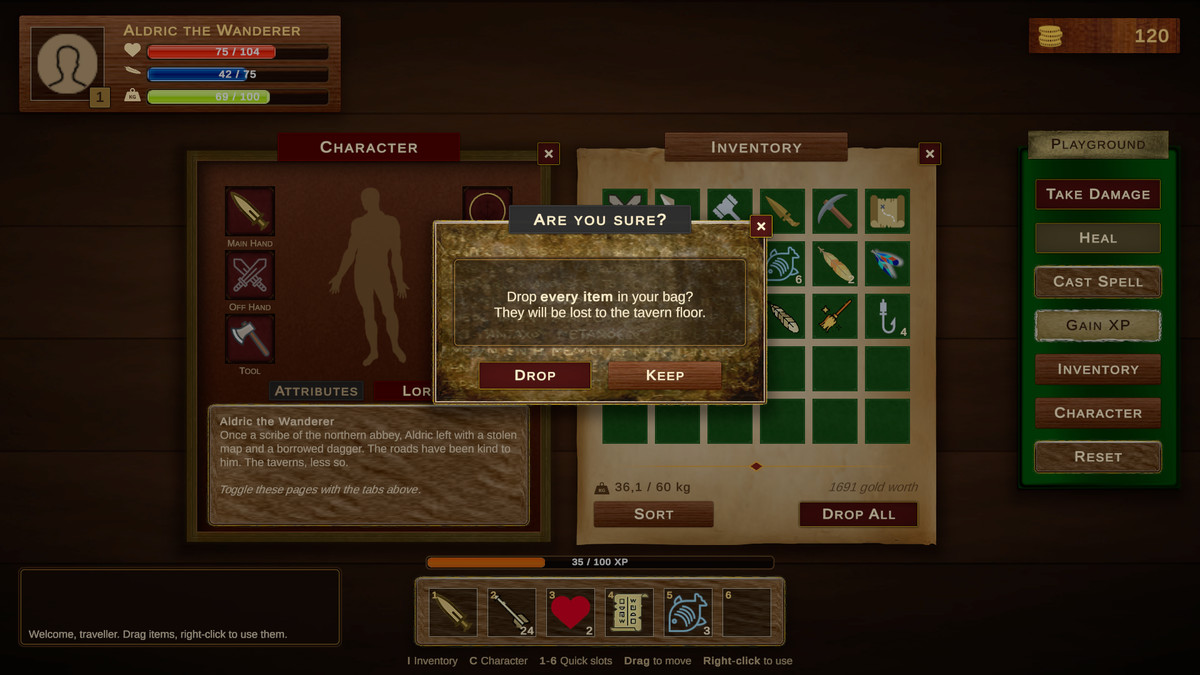
• A complete RPG screen: player frame, character sheet with equipment and attributes, inventory, quick slots, combat log and a confirmation dialog
• 22 sample items to drag, equip, stack and use
• Take damage, heal, cast spells and level up from the Playground panel
• A Sprite Gallery scene to browse every sprite by category
EDITOR
• Fantastic UI Hub opens on import: quick start, setup checks, one click creation and a sprite picker
From the publisher's Asset Store listing.
Technical details
Unity 2022.3 LTS or newer, Unity 6 supported
• uGUI with TextMeshPro. Import TMP Essential Resources when asked (one click in the Hub)
• Render pipeline independent: no materials or shaders. Works with Built-in, URP and HDRP
• Input System and legacy Input Manager supported
• 126 sprites (PNG, 9-slice borders set), 6 cursor textures, 1 Sprite Atlas, Sprite Catalog asset
• 24 prefabs: 4 windows, 7 buttons, 4 bars, 4 slots, tooltip, toggle, slider, divider, canvas
• 2 sample scenes (RPG demo and Sprite Gallery), 22 sample items
• Canvas prefab set up for 1920 x 1080 with Scale With Screen Size
• Runtime, Editor and Samples assembly definitions, namespace MyIndieGames.FantasticUI
• Full C# source code, no third party code or content
• Tested by import into new, empty Unity 2022.3 and Unity 6 projects, with no compiler errors or warnings
• User guide in PDF and Markdown (Hub > Start > Show Documentation)
Compatibility
| Unity version | Built-in | URP | HDRP | Custom |
|---|---|---|---|---|
| 2022.3.62f3 | Compatible | Compatible | Compatible | Compatible |
| 2020.3.16f1 | Compatible | Compatible | Compatible | Compatible |
As listed on the Asset Store.