
 View on Asset Store (opens in new tab)
Package details
- Latest version
- 1.5.1
- Last updated
- First released
- Unity version
- 2018.4.28 or later
- Package size
- 773 KB
- Files
- 14
- Favorites
- 30
- Views in the past week
- 4
Price tracking
- Last checked
- Tracked since
- Lowest recorded
- $10.00 on
iOS Features
- Price drop
Lowest recorded price
Get 33% off on Asset Store (opens in new tab)Affiliate link · Purchases support this site
Price history
Last 6 months
USDAsset preview
1 / 12

iOS Features screenshot 1


About this asset
iOS ONLY
FEATURES LIST:
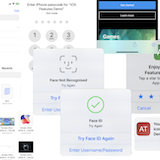
1. BIOMETRIC AUTHENTICATION Authenticate a user with either biometrics(Face ID, Touch ID) or a passcode, in watchOS with a passcode.
2. SAFARI BROWSER The view controller includes Safari features such as Reader, AutoFill, Fraudulent Website Detection, and content blocking. In iOS 9 and 10, it shares cookies and other website data with Safari. The user's activity and interaction with SFSafariViewController are not visible to your app, which cannot access AutoFill data, browsing history, or website data. You do not need to secure data between your app and Safari.
3. INTERNAL APP RATE it's a big feature available in iOS 10.3 and above. Ask the user to rate or review right inside the game.
Rate your app and get much more feedbacks from user's with one click. It's effectively for you and more comfortable for all users to rate app and stay in the game.
Official documentation note: When you call this method while your app is still in development mode, a rating/review request view is always displayed so that you can test the user interface and experience. However, this method has no effect when you call it in an app that you distribute using TestFlight.
4. ALTERNATIVE ICONS it's a big feature available in iOS 10.3 and above.For a long time you wanted to change app icon like a Calendar changes it and displays current date.
This ability allows you to change app icon at any time:
- switch "Lite" version to "Premium"
- display player's avatar
- display team's flag
- show actual game progress
- inform about holiday's sales
- show music playing state
- show current weather state
- and more
Change your app's icon to one of its alternate icons.Just put icons to plugins folder and change with one line of code
5. DOCUMENT PICKER
Provides access to external documents stored in cloud services such as iCloud Drive and Google Drive.
You must enable iCloud document support before you can use the document picker. For more information, see iCloud Design Guide.
Support iOS 8.0 and above.6. PICKER VIEW
A view that uses a spinning-wheel or slot-machine metaphor to show one or more sets of values.
7. COLOR PICKER
A view controller that informs your app about user interaction with the color picker. Support iOS 14.0 and above.
From the publisher's Asset Store listing.