
 View on Asset Store (opens in new tab)
Package details
- Latest version
- 1.0
- Last updated
- First released
- Unity version
- 2017.1.3 or later
- Package size
- 1.6 GB
- Files
- 130
- Favorites
- 65
- Views in the past week
- 10
Price tracking
- Last checked
- Tracked since
- Lowest recorded
- $8.00 on
Keywords
Asphalt and Concrete Roads
Price $8.00
Buy on Asset Store (opens in new tab)
Affiliate link · Purchases support this site
Price history
Last 6 months
USDAsset preview
1 / 6

Asphalt and Concrete Roads screenshot 1


About this asset
This set of materials and textures is built with a wide variety of platforms in mind. They can be used with or without the height map, AO, etc.
All materials have a color/roughness, height, ambient occlusion and normal map.
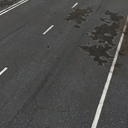
There are asphalt and concrete versions of each type with single and double lanes plus clean, worn and broken versions of each of those. There are also omni-tiling/no-line versions for multiple other uses.
The textures can be adjusted to be between 32 and 4096 max resolutions.
Included in this pack are the following:
- 20 4k PBR texture sets
- 20 Materials
Also included are 6 tiling road meshes/prefabs for use with spline tools and other road/path makers.
If you need to color the lines, there is also a mask included for easily doing that in your image editor of choice or by applying that mask to the secondary details field in the material (an example of that is setup on the clean asphalt materials)
All materials have a color/roughness, height, ambient occlusion and normal map.
There are asphalt and concrete versions of each type with single and double lanes plus clean, worn and broken versions of each of those. There are also omni-tiling/no-line versions for multiple other uses.
The textures can be adjusted to be between 32 and 4096 max resolutions.
Included in this pack are the following:
- 20 4k PBR texture sets
- 20 Materials
Also included are 6 tiling road meshes/prefabs for use with spline tools and other road/path makers.
If you need to color the lines, there is also a mask included for easily doing that in your image editor of choice or by applying that mask to the secondary details field in the material (an example of that is setup on the clean asphalt materials)
From the publisher's Asset Store listing.