
 View on Asset Store (opens in new tab)
Package details
- Latest version
- 2.3.1
- Last updated
- First released
- Unity version
- 2021.3.16 or later
- Package size
- 348 KB
- Files
- 63
- Favorites
- 117
- Views in the past week
- 18
Price tracking
- Last checked
- Tracked since
- Lowest recorded
- $5.00 on
Keywords

Runtime Curve Editor
- Price drop
Visually edit curves at runtime(in game).
Lowest recorded price
Get 86% off on Asset Store (opens in new tab)Affiliate link · Purchases support this site
Price history
Last 6 months
USDAsset preview
1 / 1
Runtime Curve Editor video 1
About this asset
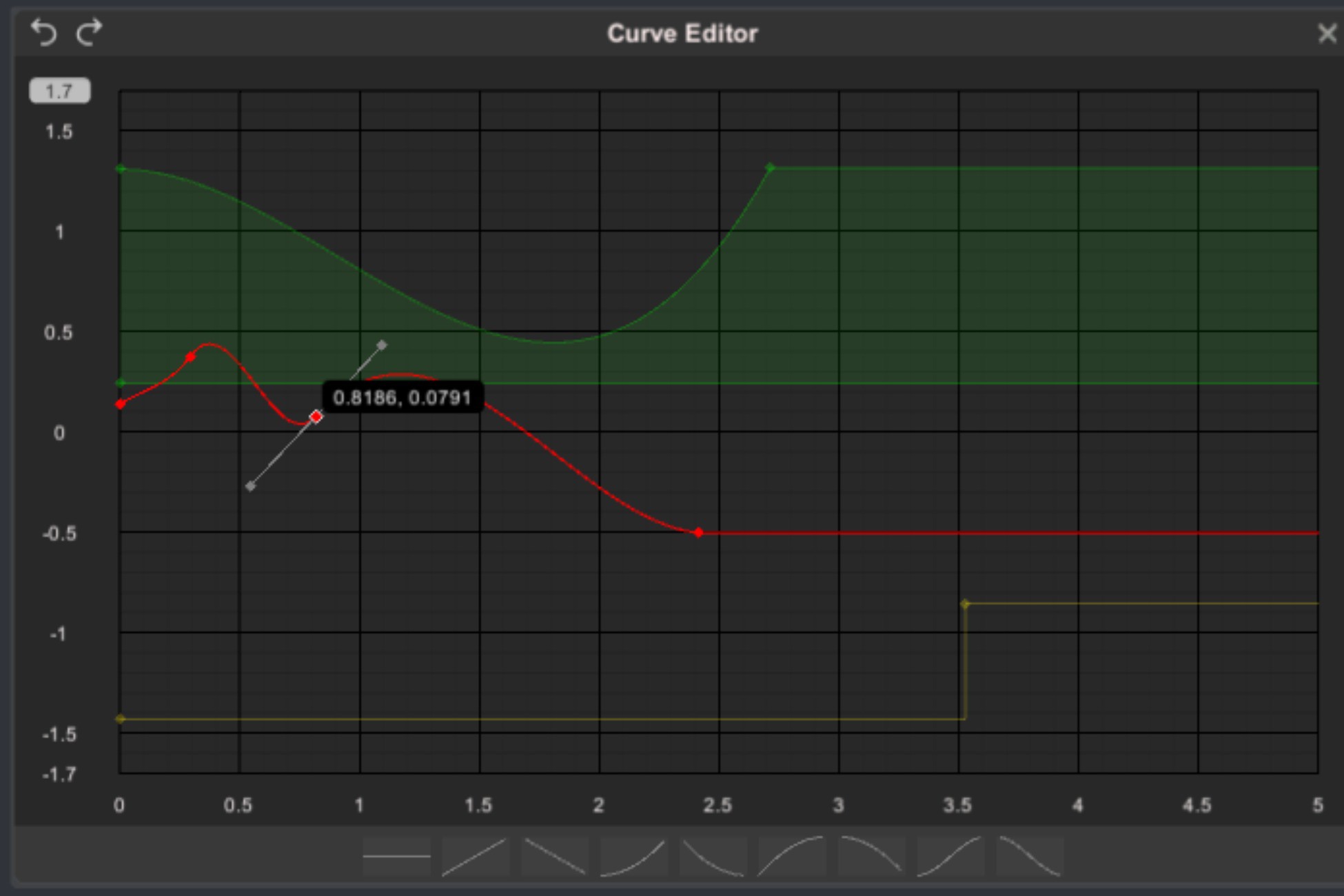
With this package you can visually edit curves
at runtime, like in the Unity's built-in curve
editors (for Animation Curve or ParticleSystem).
The behavior and user possible options are almost identical to those from the Unity's curve editor.
The equation by which a curve is plotted, is 100% equivalent with that from the Unity Engine.
Watch please the demo video.
The package is made of C# scripts, doesn't need Unity Pro, doesn't require other assets,
doesn't use any library, all the code is available, and it was tested on PC, Mac, WebGL,
iOS and Android.
Check please the WebGL build link.
From the publisher's Asset Store listing.
Technical details
All the lines and curves are put into meshes and rendered with Graphics.RenderMesh on a specially created layer RuntimeCurveEditor(at slot 30), which is harcoded in constant MESH_LAYER in CurveWindow.cs.
The texts, panels, inputs, buttons are created with the Unity.UI, and are rendered on the same layer RuntimeCurveEditor(instead of the default UI layer).
The Runtime Curve Editor is rendered with an orthogonal camera (which is attached to it, and can have a transparent background).
If this editor(very likely) is going to be added into a scene (with a main camera), then the culling mask of that main camera has to be set accordingly, by disabling the RuntimeCurveEditor layer (to avoid the additional rendering of this curve editor).
Compatibility
| Unity version | Built-in | URP | HDRP | Custom |
|---|---|---|---|---|
| 2021.3.16f1 | Compatible | Compatible | Compatible | Compatible |
As listed on the Asset Store.