
 View on Asset Store (opens in new tab)
Package details
- Latest version
- 1.6.0
- Last updated
- First released
- Unity version
- 6000.5.9 or later
- Package size
- 3.0 MB
- Files
- 36
- Favorites
- 97
- Views in the past week
- 14
Price tracking
- Last checked
- Tracked since
- Lowest recorded
- Free on
Keywords

SpawnMega - Wave, Enemy & Object Spawning System
A simple, direct object spawner - spawn a prefab once, on a timer, in waves, or randomly inside an area, all from the Inspector with no scripting required.
Affiliate link · Purchases support this site
Price history
Last 6 months
USDAsset preview
1 / 8
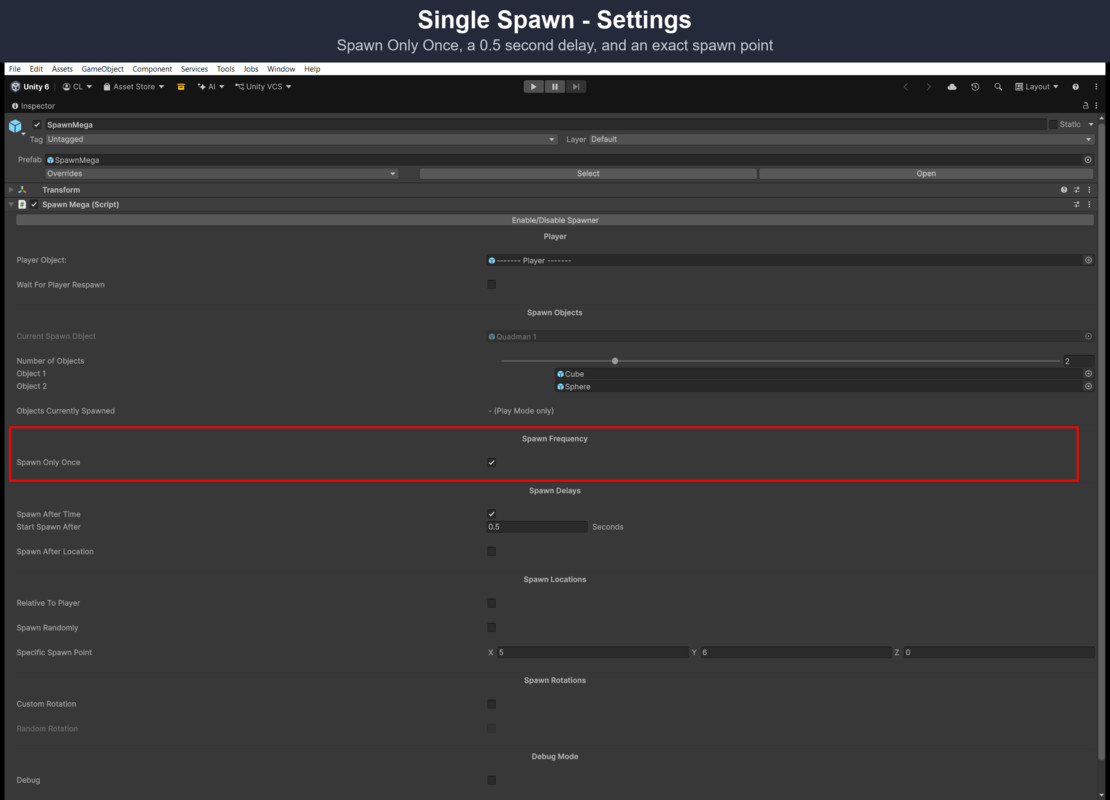
SpawnMega - Wave, Enemy & Object Spawning System screenshot 1

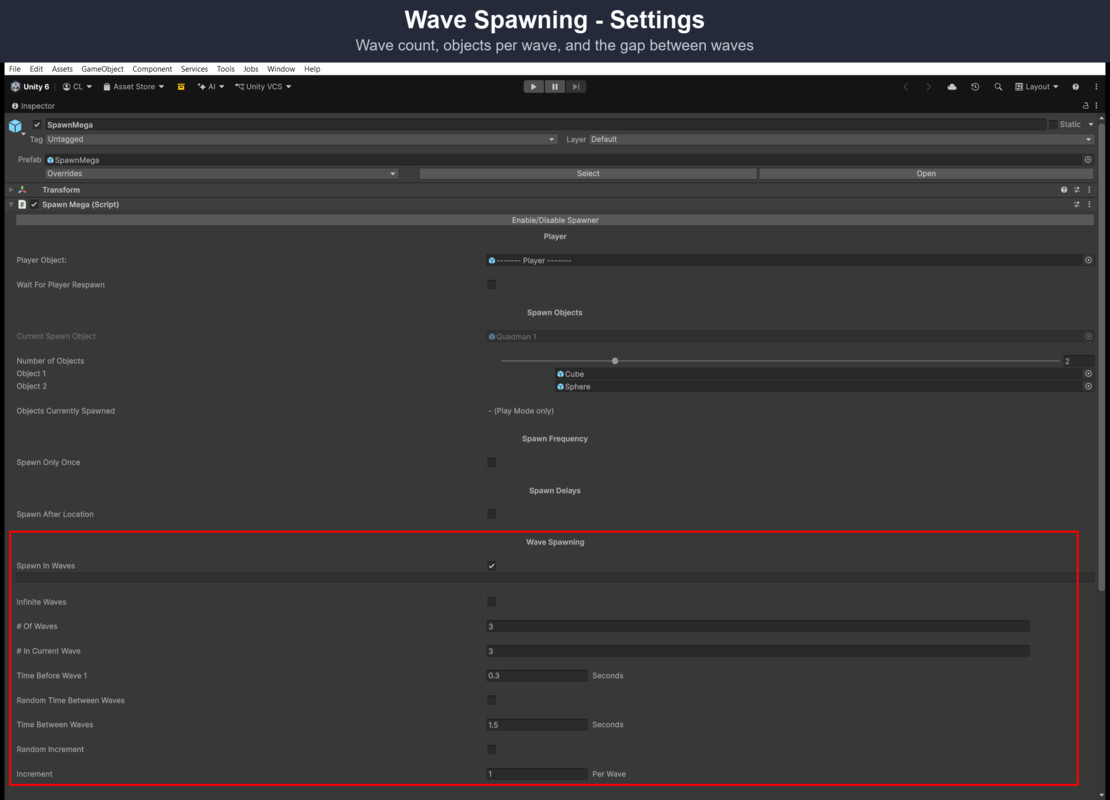
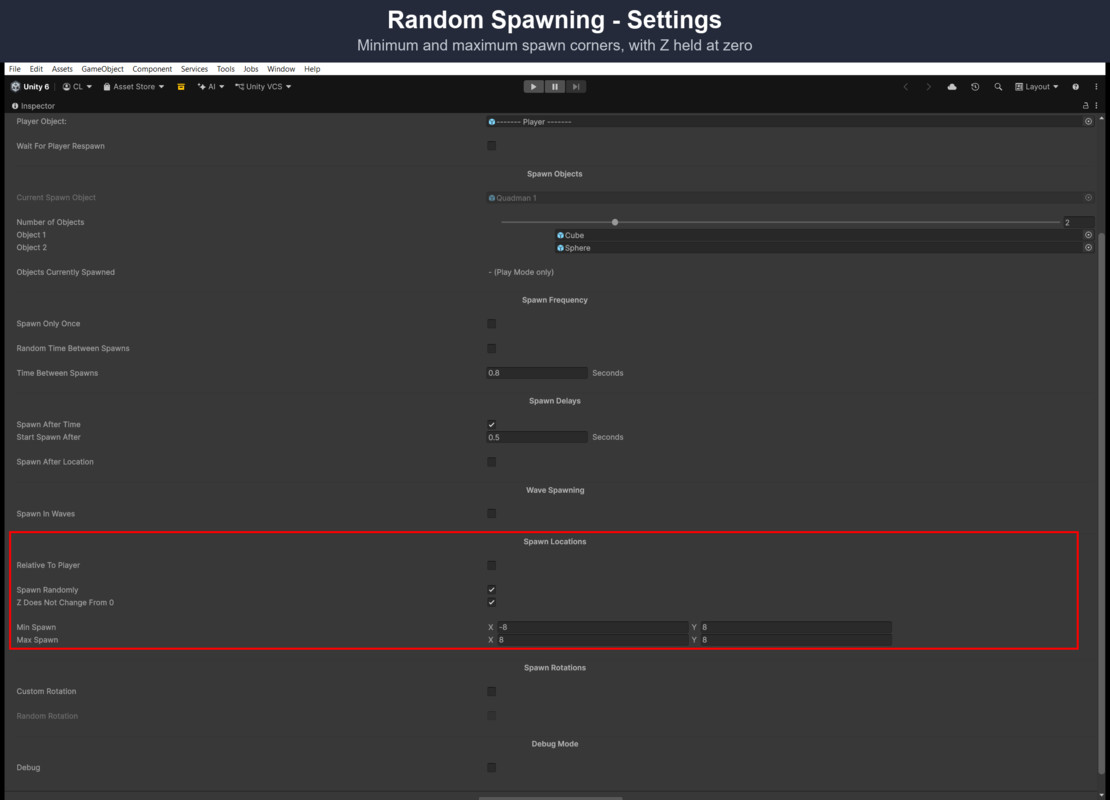
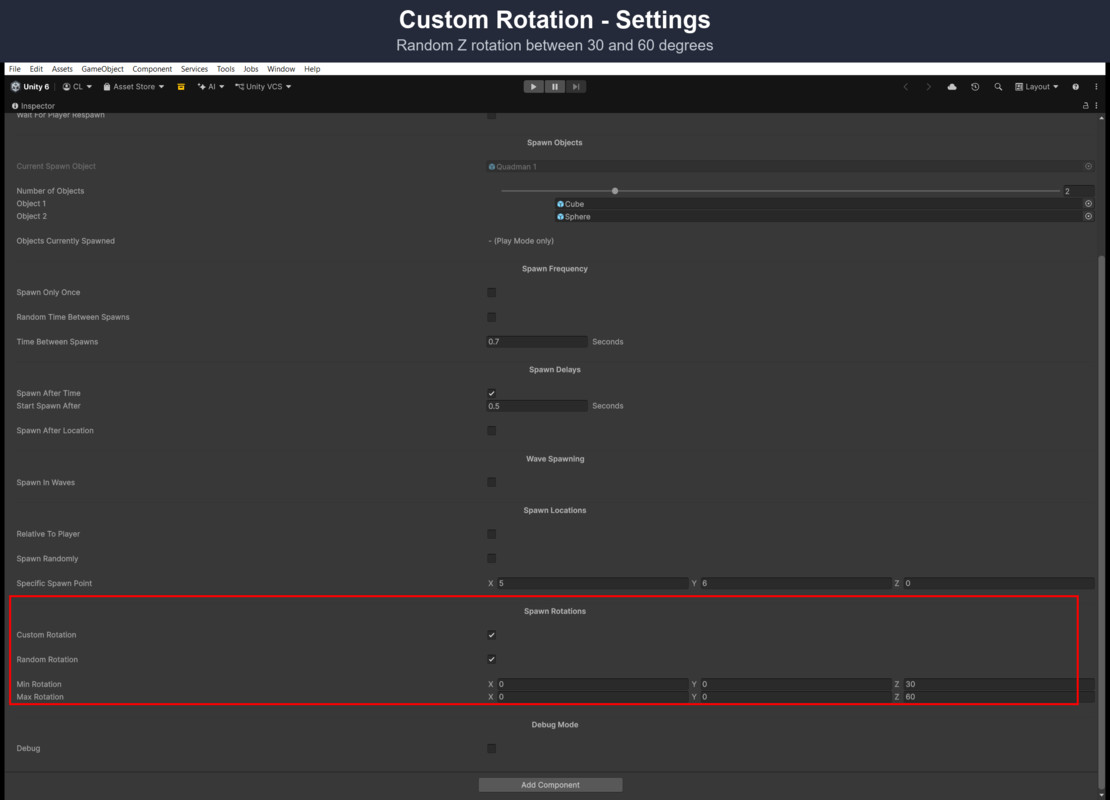
About this asset
For weighted multi-prefab groups, pooling, spawn formations and a difficulty ramp, see SpawnMega 2.0.
SpawnMega is a simple, direct object spawner for Unity: spawn a prefab once, on a timer, in waves, or randomly inside an area - all from the Inspector, no scripting required.
Spawn modes: Single Spawn (once, after a delay), Timed Spawning (on a fixed or random interval), Wave Spawning (configurable wave count, size, and growth), and Random Spawning (anywhere inside a 2D or 3D area).
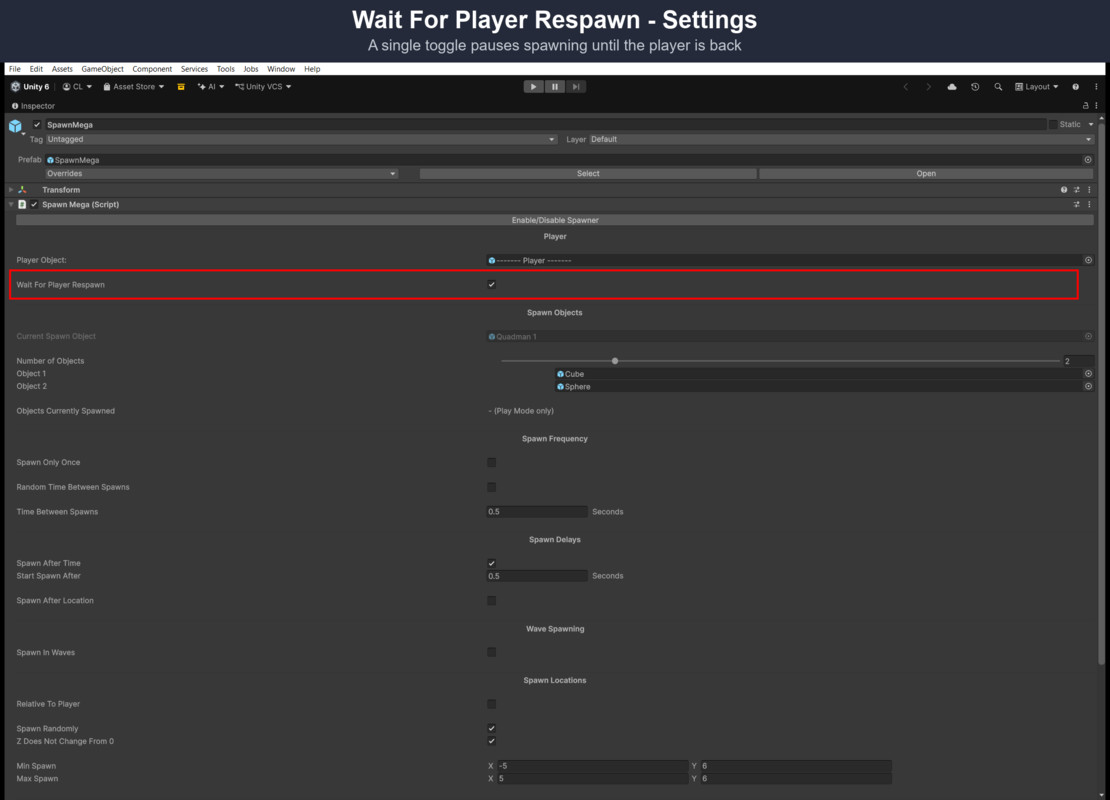
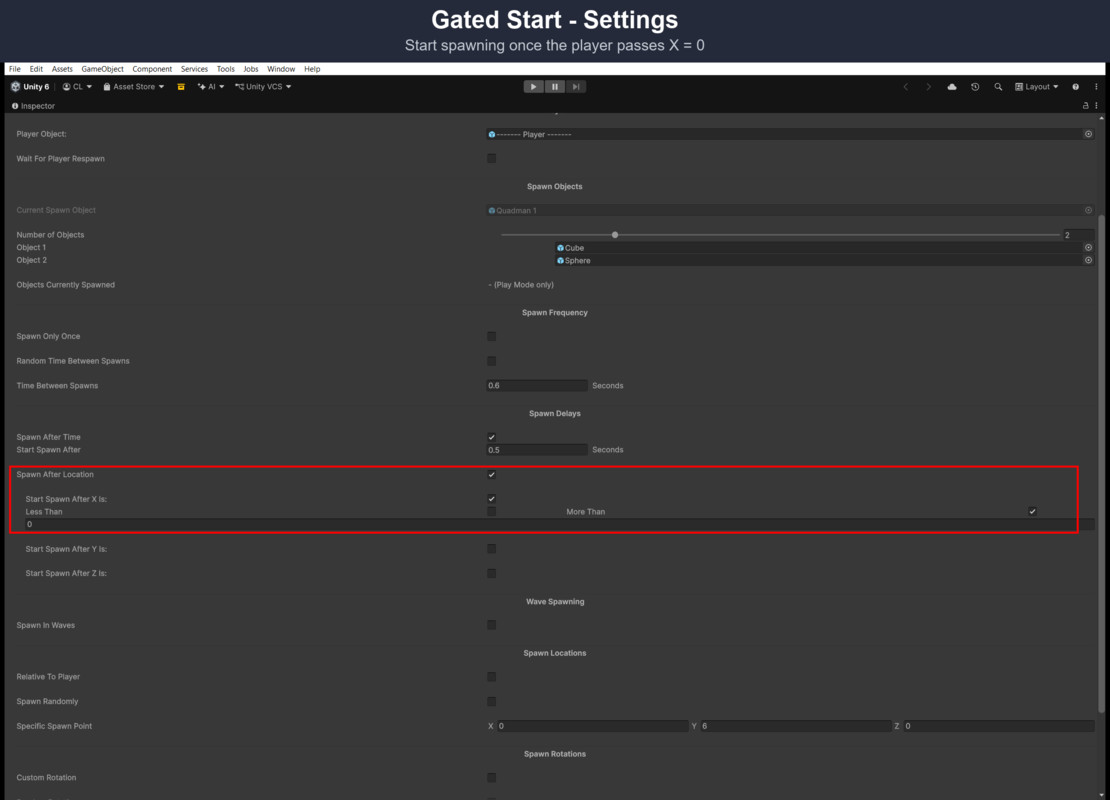
Gating: pause spawning while the player is dead (Wait For Player Respawn), until a set amount of time has passed (Spawn After Time), or until the player crosses a specific X/Y/Z position (Spawn After Location) - optionally relative to the player's own position.
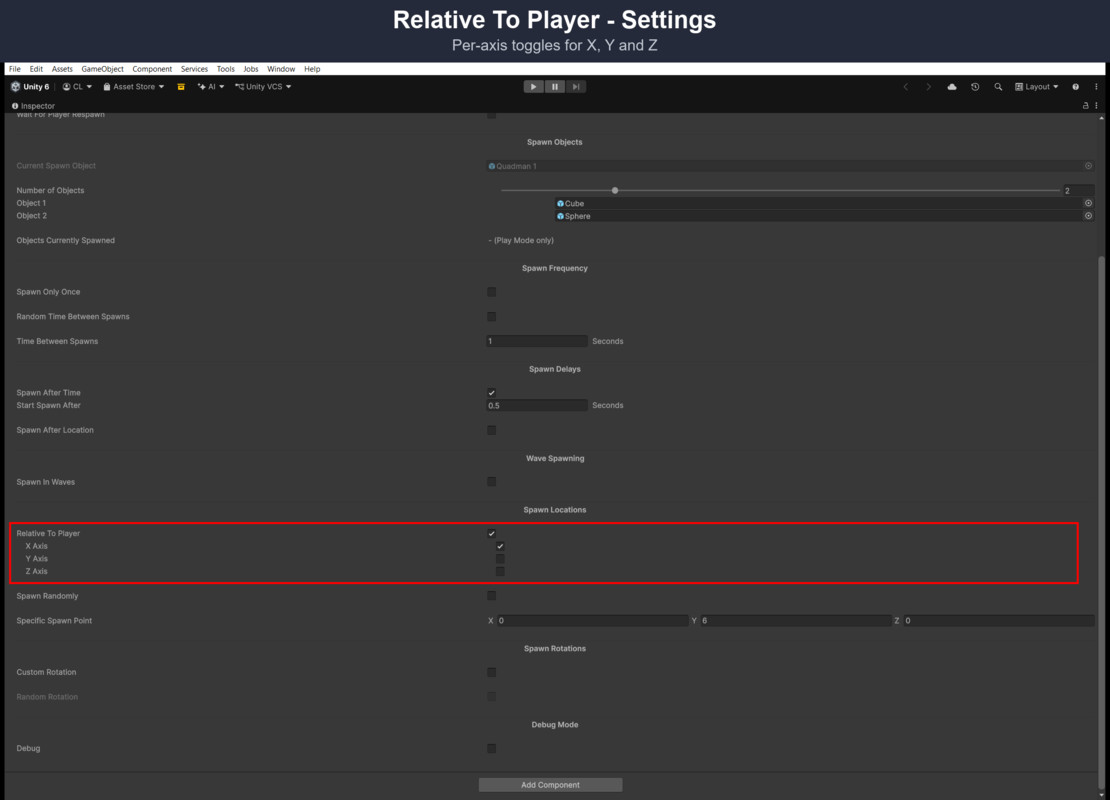
Also included: Custom Rotation (fixed or randomized per spawn), Relative To Player spawn points, and a small demo scene (a falling-hazard spawner, a scoring floor, a basic 2D player controller) so you can see it running immediately.
Live spawn count: the Inspector shows "Objects Currently Spawned", the number of objects the spawner has created that still exist, updating as you play. It is also available from code as SpawnMega.SpawnedCount.
The spawner has no render-pipeline dependency. Both demo scenes - the playable Main demo on the same 2D grass-field playground as SpawnMega 2, and the captioned Feature Tour - render under Built-in and URP.
Works with either input system: the demo scenes run under the legacy Input Manager or the New Input System, the default in Unity 6 project templates.
New here? Open Scenes/FeatureTour.unity and press Play for a full, captioned walkthrough of every feature.
Fully documented with Tooltips on every field and a PDF covering each option.
Support available through E-mail: [email protected]
From the publisher's Asset Store listing.
Technical details
- Single Spawn, Timed Spawning, Wave Spawning, and Random Spawning modes
- Wait For Player Respawn, Spawn After Time, and Spawn After Location gating
- Custom Rotation - fixed or randomized per spawn
- Relative To Player spawn points
- Live "Objects Currently Spawned" count in the Inspector (SpawnMega.SpawnedCount in code)
- Spawner works with any render pipeline; demo scenes render under Built-in and URP
- Demo scenes work with both the legacy Input Manager and the New Input System
- Full custom Inspector - only the fields relevant to your settings are shown
- Playable 2D demo scene (same playground as SpawnMega 2) plus a captioned Feature Tour scene covering every feature
- Automated test suite (31 PlayMode tests)
Compatibility
| Unity version | Built-in | URP | HDRP |
|---|---|---|---|
| 6000.6.2f1 | Compatible | Compatible | Compatible |
| 6000.5.9f1 | Compatible | Compatible | Compatible |
The spawner has no render-pipeline dependency and works with Built-in, URP and HDRP. Both demo scenes are 2D sprite scenes using Unity's built-in Sprites-Default material, so they render under Built-in and URP; HDRP doesn't draw that material.
As listed on the Asset Store.