
 View on Asset Store (opens in new tab)
Package details
- Latest version
- 2.0.0
- Last updated
- First released
- Unity version
- 2022.3.50 or later
- Package size
- 49 KB
- Files
- 5
- Favorites
- 540
- Views in the past week
- 65
Price tracking
- Last checked
- Tracked since
- Lowest recorded
- Free on
Keywords

Censor Effect | FREE - Pixellation Material
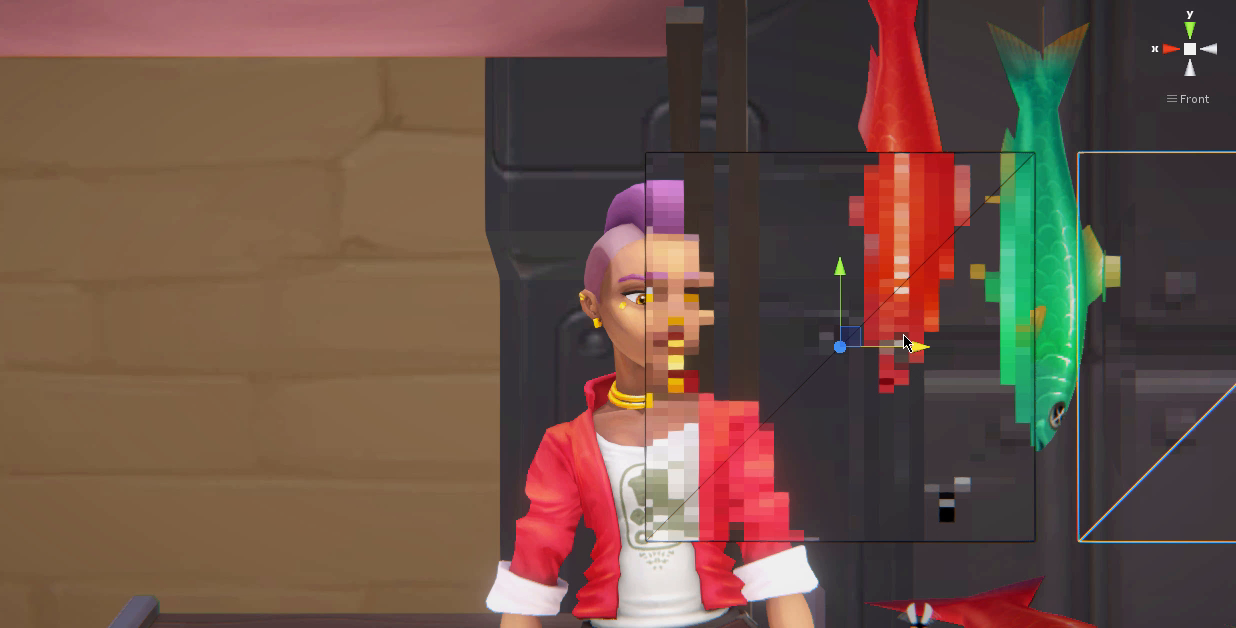
Some of your content might not be suitable for all audience. This package allows you to add a censoring effect to your scene.
Affiliate link · Purchases support this site
Price history
Last 6 months
USDAsset preview
1 / 1
Censor Effect | FREE - Pixellation Material video 1 (plays on the Asset Store)
About this asset
—————————————— 💖 FREE ASSET ———————————————
🎁 This asset is offered entirely free of charge! Donations are accepted to support development.
If you found this tool helpful, please consider leaving a review or checking out my other assets.
—————————————————————————————————————
Simply create a 3D object, and add the material. Everything behind this object will appear pixelated. The resolution can be adjusted, and stays consistent throughout any screen resolution.
[ Video ]
For the Universal Render Pipeline only. Works with VR and Mobile platforms.
If you're looking for a full-screen pixelation effect, check out SC Post Effects.
From the publisher's Asset Store listing.
Technical details
In URP, the "Opaque Texture" option requires to be enabled for the effect to work.
For continuity, the deprecated version 1.0.0 for the Built-in RP is included as a separate package.
Compatibility
| Unity version | Built-in | URP | HDRP |
|---|---|---|---|
| 2022.3.50f1 | Not listed | Compatible | Not listed |
Only compatible with the Universal Render Pipeline. Requires the "Opaque Texture" option to enabled in the pipeline settings.
As listed on the Asset Store.