
 View on Asset Store (opens in new tab)
Package details
- Latest version
- 1.4
- Last updated
- First released
- Unity version
- 2017.4.36 or later
- Package size
- 1.0 MB
- Files
- 51
- Favorites
- 60
- Views in the past week
- 4
Price tracking
- Last checked
- Tracked since
- Lowest recorded
- $5.00 on
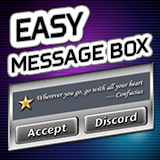
Easy Message Box
Affiliate link · Purchases support this site
Price history
Last 6 months
USDAsset preview
1 / 6

Easy Message Box screenshot 1


About this asset
Easy Message Box is a lightweight, versatile and highly customizable message box toolkit for Unity UI.
Features
• Setup-Free: Ready to use once the package is imported, no extra setup required.
• Simple Code: The only method to use is EasyMessageBox.Show().
• Multi-Purpose: Can also be used as notifications, dialog boxes and menus.
• Easy to Customize: Ships with a detailed guide on how to customize each UI element.
• Highly Reusable: Ships with a Prefab Manager to easily manage message box prefabs across the scenes and multiple projects.
• Automatic Resizing: Automatically resizes the message box based on its content.
• Automatic Queuing: Optionally queues additional calls and display the queued message boxes once an existing one is closed.
• Multiple Layouts: Built-in horizontal/vertical message layouts.
• Built-in Input Fields: Easily add input fields to your message box with only 1 parameter.
• Built-in Toggle: Easily add a toggle to your message box with only 1 parameter.
• Animations: Ships with several In/Out animations. No 3rd party tweening system required.
• Draggable: Optionally allows the message boxes to be dragged by the title bar or the message content.
• Title Bar: Optionally shows a title bar with a close button.
• Message Icons: Built-in icon slots for the message.
• Button Icons: Built-in icon slot for each button.
• UI Blocking: Automatically blocks other UI elements.
• Audio: Plays audio clips when the message box begins to show or hide.
From the publisher's Asset Store listing.