
 View on Asset Store (opens in new tab)
Package details
- Latest version
- 2.22.0
- Last updated
- First released
- Unity version
- 2022.3.62 or later
- Package size
- 38.9 MB
- Files
- 1,374
- Favorites
- 321
- Views in the past week
- 115
Price tracking
- Last checked
- Tracked since
- Lowest recorded
- Free on
Keywords

Maestro - Midi Player Tool Kit - Free
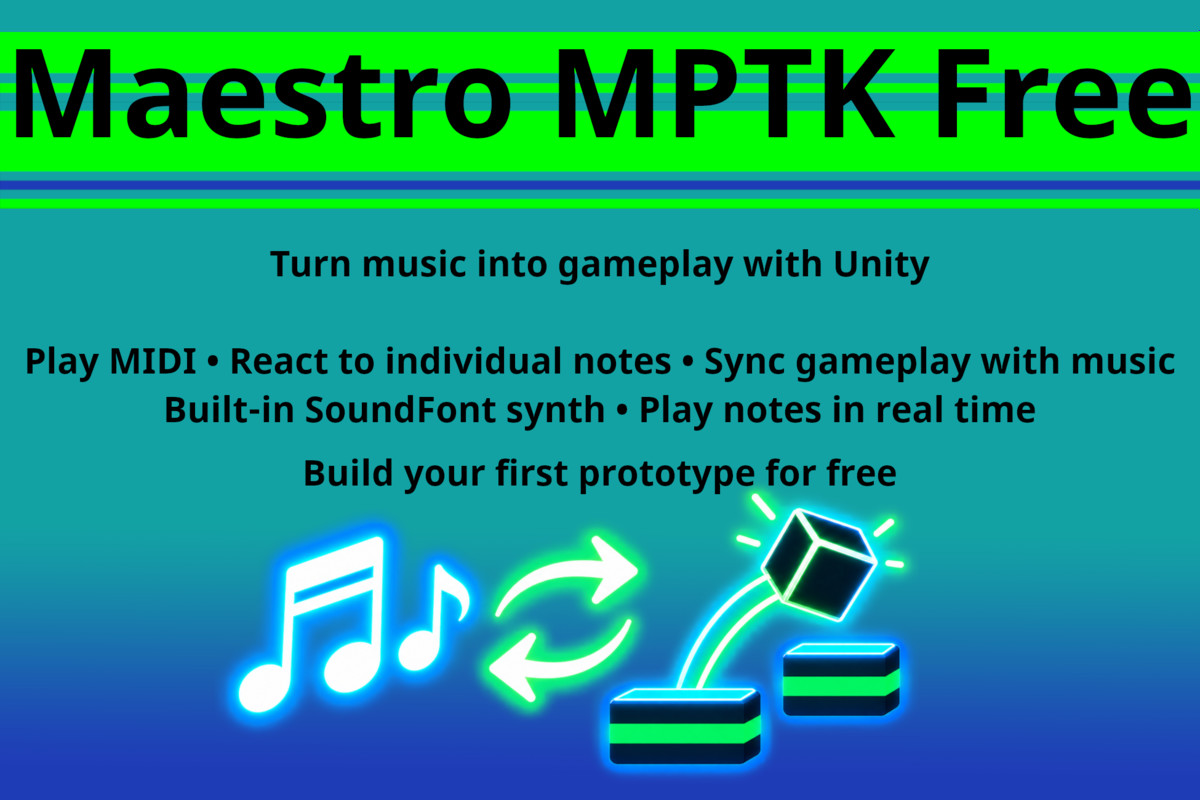
Turn music into gameplay with Unity. Play MIDI, react to individual notes, sync gameplay with music, and build interactive music experiences for free. Now MPTK AI Skills simplify integration!
Affiliate link · Purchases support this site
Price history
Last 6 months
USDAsset preview
1 / 15
Maestro - Midi Player Tool Kit - Free screenshot 1




About this asset
Maestro MIDI Player Tool Kit Free gives you everything you need to build interactive music experiences and MIDI-driven prototypes in Unity.
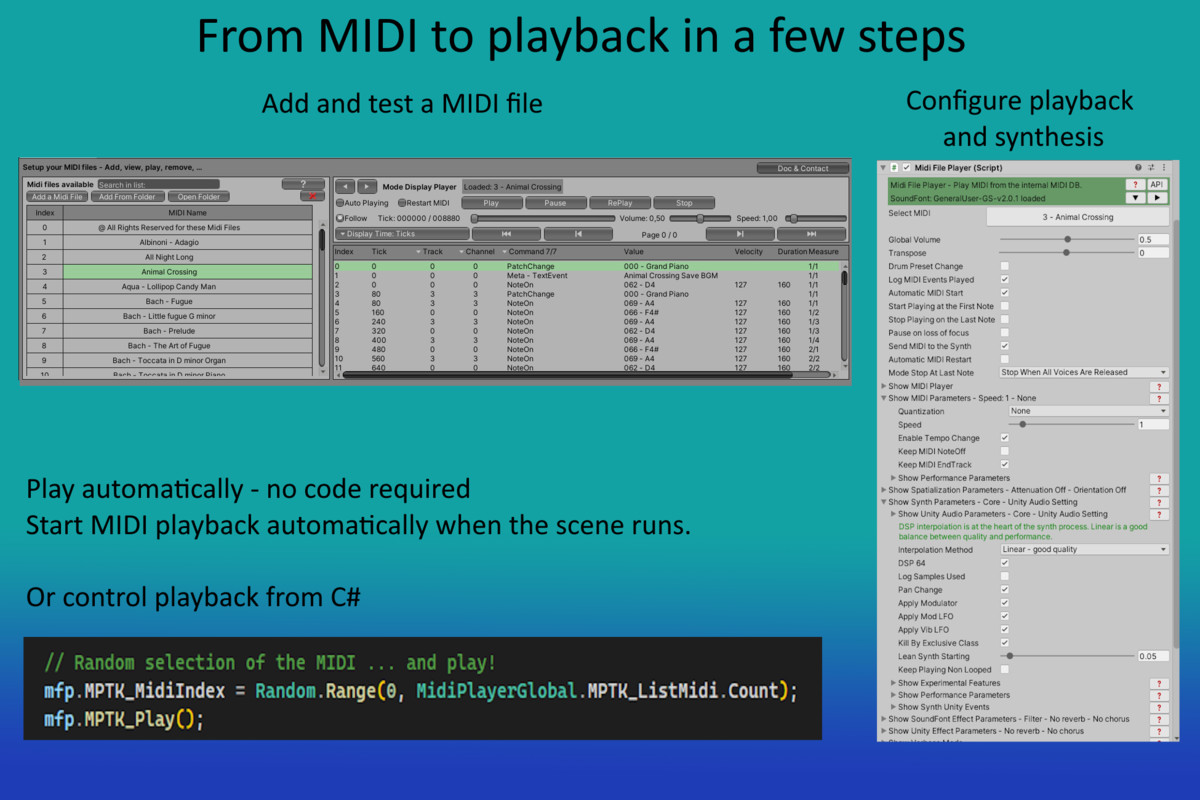
Play MIDI files directly in Unity, receive individual note events in your code, synchronize gameplay with music, and generate MIDI notes and events in real time using the integrated SoundFont synthesizer.
No external MIDI synthesizer is required.
Tell your AI what you want to build with Maestro. MPTK Skills show it how.
Maestro includes ready-to-use MPTK AI Skills designed around real Unity and MPTK workflows. Tell your AI coding assistant (Unity AI, Codex, Claude, Copilot, Mistral ...) what you want to build and the Skills guide it toward the appropriate Maestro components, APIs and implementation patterns.
With Maestro Free, you can start with guided workflows for MIDI playback, note events, synchronization, music-driven gameplay, visualizers, interactive instruments and other core use cases.
Advanced workflows automatically identify features that require Maestro Pro, so you can start with Free and extend your project when needed.
See how to set up and use MPTK AI Skills with your coding assistant:
What can you build with Maestro Free?
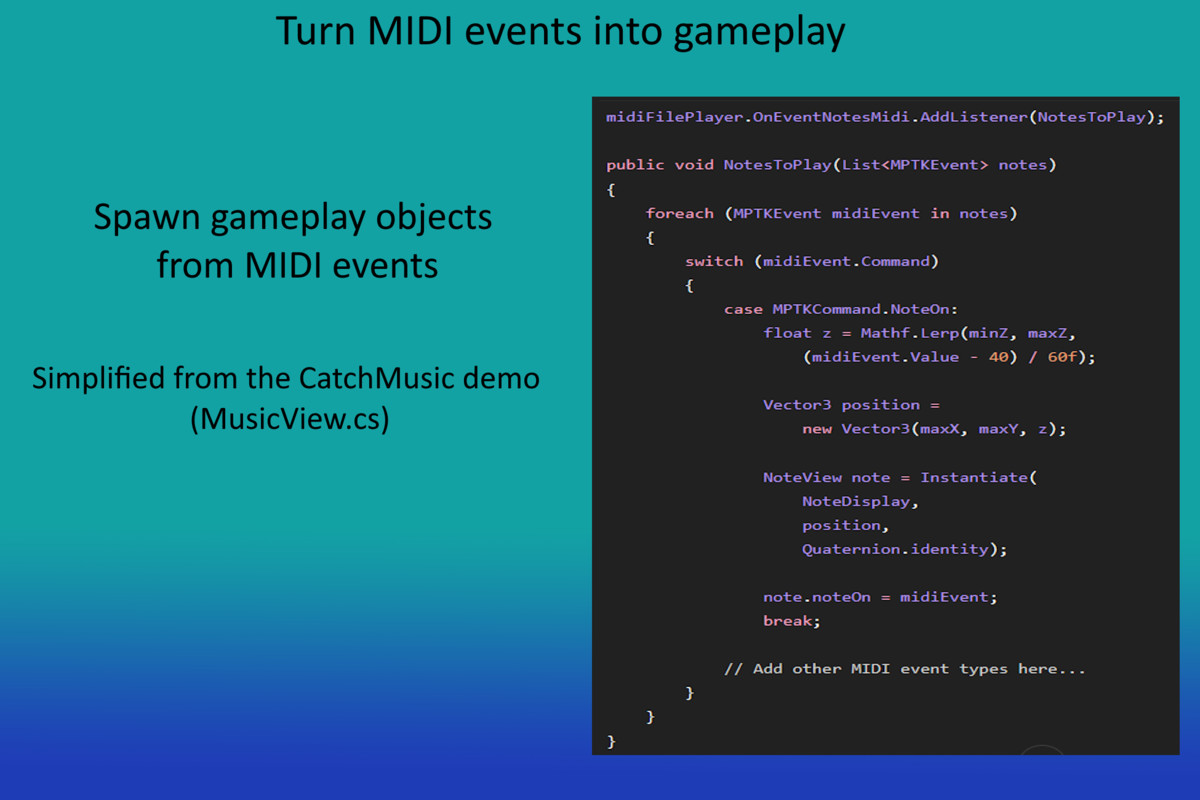
Rhythm Game Prototype - Receive note events and use them to spawn objects, drive lanes, trigger animations or synchronize gameplay.
Music Visualizer - React to notes, instruments and musical events with VFX, lighting or animation.
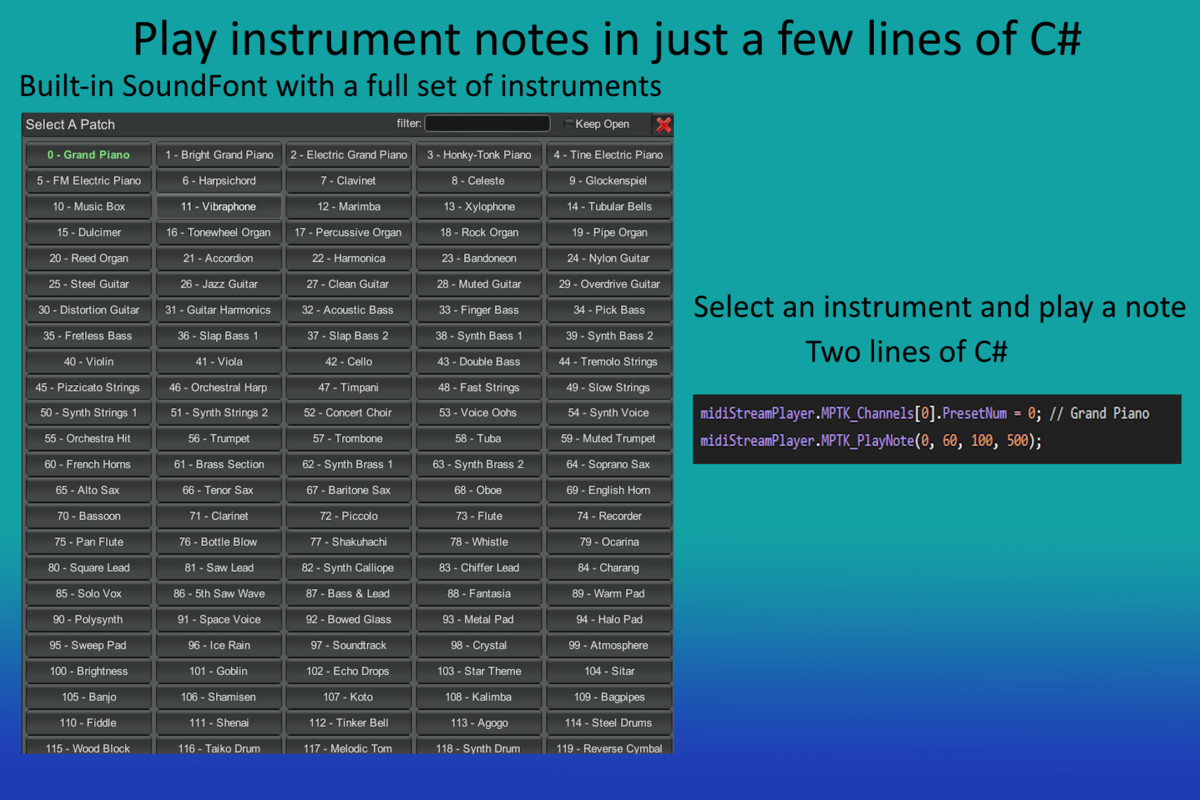
Interactive Instrument - Generate and play notes directly from your Unity code.
MIDI Playback - Play MIDI music using the integrated SoundFont synthesizer and control playback from your application.
Explore the Maestro workflow - Experiment with MIDI playback, events and real-time generation, and use them as building blocks for your own Unity projects.
Maestro Free vs Pro
Maestro Free includes everything you need for MIDI playback, note and event generation, playback callbacks, and interactive music-driven projects using the integrated SoundFont synthesizer.
Maestro Pro adds custom SoundFonts, MIDI creation and editing, real-time event transformation, advanced playback controls, external MIDI devices, extended synthesis controls, spatial routing and production tools.
See Technical Details below for a complete Free vs Pro feature comparison.
Built for Unity
Maestro has been developed specifically for Unity and is actively maintained. Full documentation, examples and support resources are available to help you integrate it into your project.
Quick Start | Documentation | API | Demos | Forum | Discord
Third-Party Licensing
Asset uses FluidSynth under GNU Lesser General Public License 2.1, NAudio under Microsoft Public License (Ms-PL), GeneralUser GS SoftSynth under License v2.0, and ScreenLogger under the MIT License.
See Third-Party Notices.txt included in the package for details.
From the publisher's Asset Store listing.
Technical details
Core Features
- MIDI file playback from your Unity project
- Integrated SoundFont synthesizer with an included General MIDI SoundFont
- Real-time MIDI note and event generation from C#
- MIDI playback callbacks for gameplay, visuals, and interaction
- Play, pause, resume, stop, seek, loop, speed, and tempo controls
- Instrument and MIDI channel control
- Playback position, duration, tempo, and track information
- Load and inspect MIDI files and events from C#
- Demo scenes and example scripts
- Documented C# API
Sound Generation
- No external MIDI synthesizer is required.
- Maestro includes its own SoundFont-based synthesis engine and generates audio directly inside Unity.
Compatibility
- Unity 2022.3 LTS and later
- Compatible with Unity 6
Free vs Pro
MIDI Playback
Free: Play MIDI files included in your Unity project.
Pro: Load and play MIDI from local files, byte arrays, generated content, or web URLs.
SoundFont Synthesis
Free: Integrated synthesizer with an included General MIDI SoundFont.
Pro: Import custom SoundFonts and load or switch them at runtime.
Real-Time Generation
Free: Generate MIDI notes and events directly from C#.
Pro: Chord, scale, and chord-progression tools.
MIDI Callbacks
Free: React to MIDI events during playback.
Pro: Intercept, transform, reroute, or discard events before synthesis.
Playback Controls
Free: Play, pause, resume, stop, seek, loop, and control tempo or speed.
Pro: Advanced loops, delayed or gradual start and stop, playlists, overlap, and crossfade.
MIDI Data
Free: Load and inspect MIDI events, tracks, tempo, duration, and position.
Pro: Advanced MIDI processing and transformation.
MIDI Editor
Free: -
Pro: Integrated visual MIDI Editor inside Unity.
MIDI Creation API
Free: -
Pro: Create, modify, merge, and save MIDI files directly from C#.
MIDI Devices
Free: -
Pro: MIDI input and output on supported Windows and macOS devices.
Spatial Audio
Free: Unity AudioSource distance attenuation for the complete player output.
Pro: Adds directional audio and independent spatialization for each instrument.
In short:
Maestro Free gives you everything needed to play MIDI in a Unity project, generate notes from C#, and connect musical events to gameplay.
Maestro Pro adds external MIDI and SoundFont loading, MIDI creation and editing, real-time event transformation, advanced playback and synchronization, MIDI devices, and spatial routing.